
Buyer Experience & Guided Selling // The Property and Flexible-Space Sales Operating System
Give every buyer a clear way into the property, and a relevant way forward.
Your buyers should not have to piece together disconnected pages, files and messages to understand what your property offers. SiteSee brings everything into one branded experience, where they can find the right spaces, follow a useful path, review approved information and take the next step without losing the context that makes the decision meaningful.
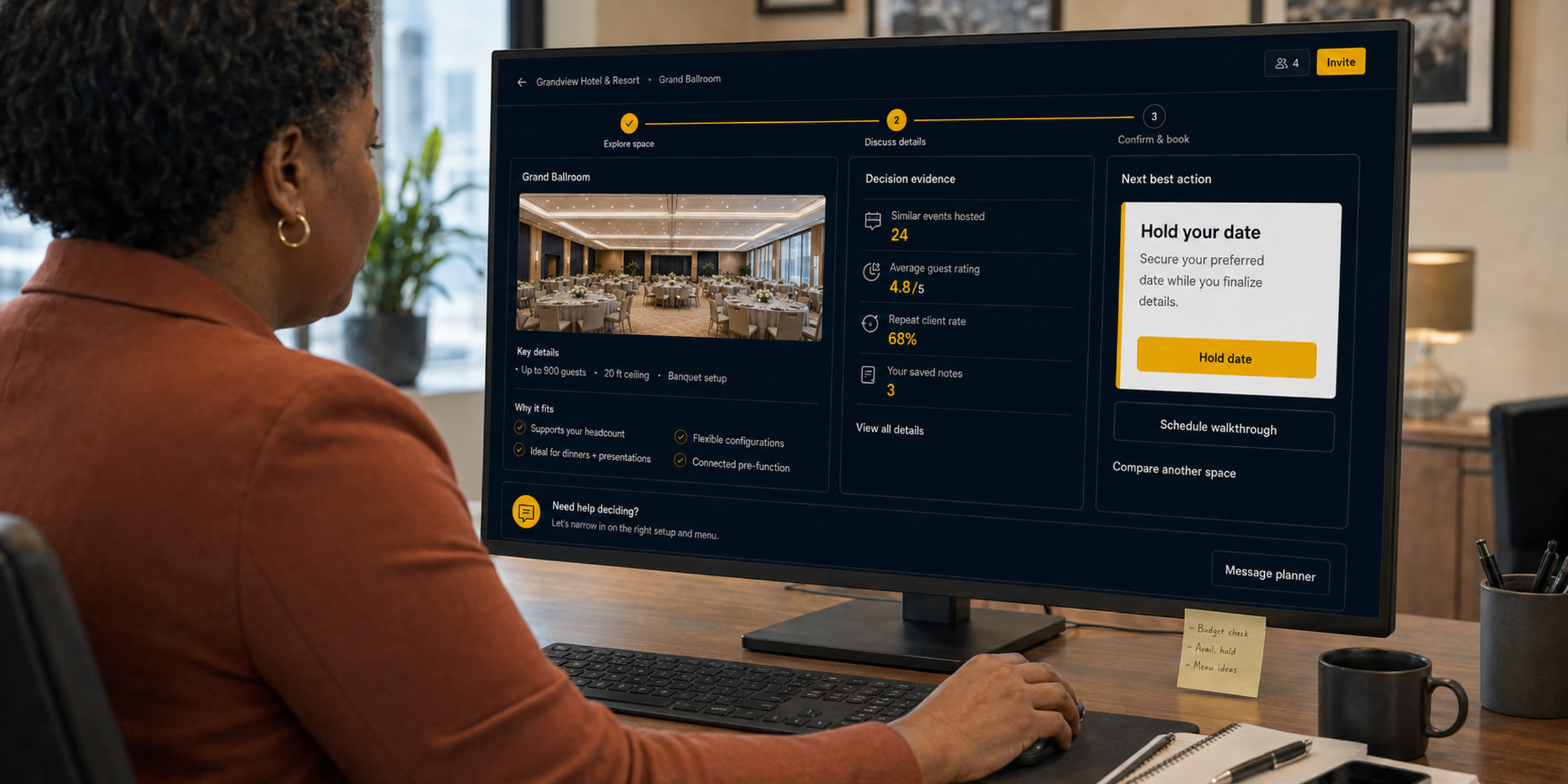
The Buyer-Understanding Gap
Start with what this buyer needs to understand, not with everything the property can show.
Every property contains more information than one buyer needs at once. A meeting planner may begin with event flow. A wedding client may care first about atmosphere and weather alternatives. A group buyer may need to understand how guest rooms, dining and arrival work together. Giving everyone the same undirected collection creates more work, not more clarity.
Guided selling begins with the decision your buyer is trying to make. It directs attention and keeps the property context visible without forcing anyone through a rigid presentation. Buyers remain free to explore, while the most useful starting points are easier to find.
See how the complete Sales OS connects the experience →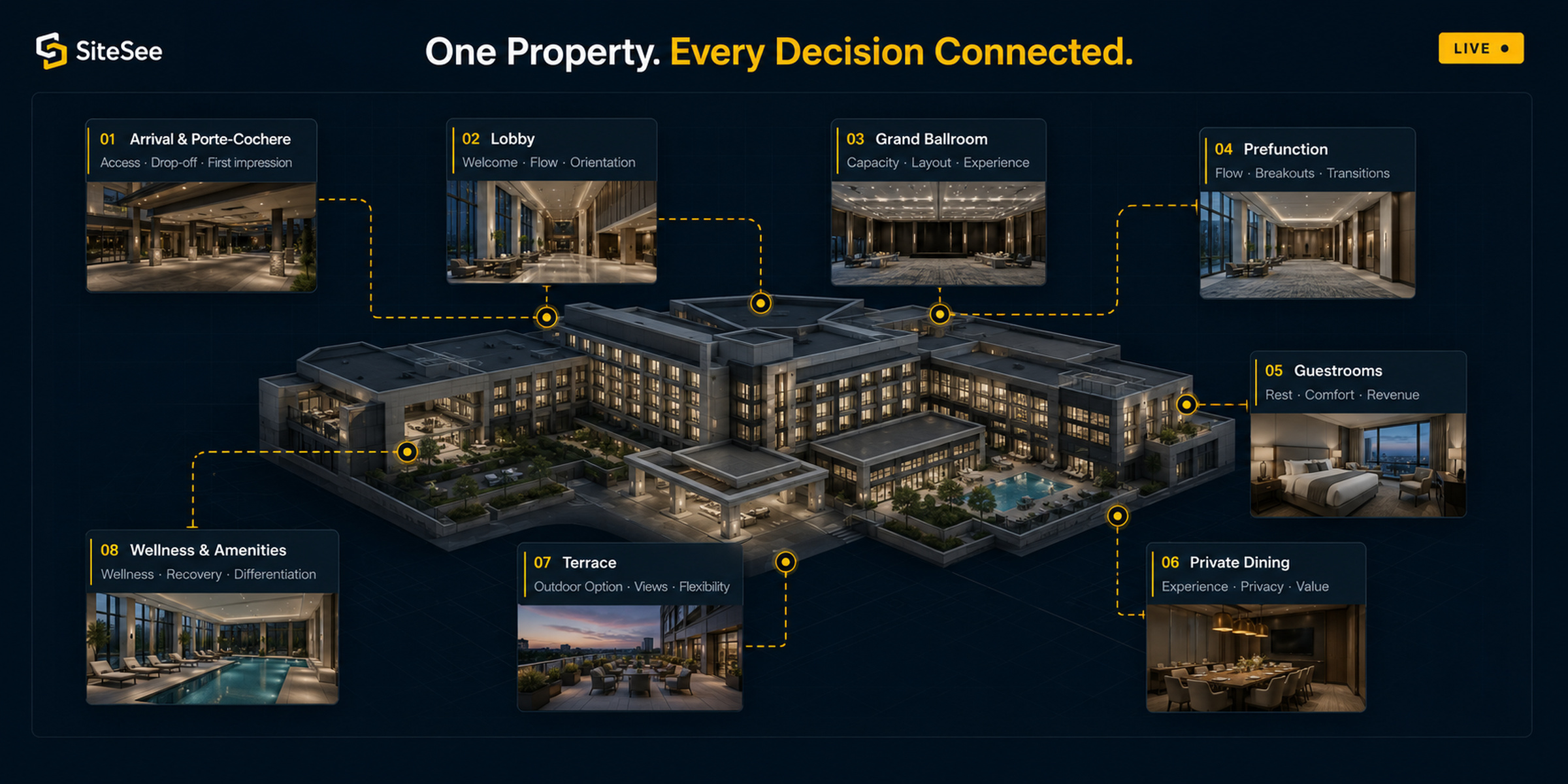
Entry & Navigation
Give the buyer an immediate sense of place, purpose and direction.
When buyers open your SiteSee experience, they should immediately know whose property they are viewing, why it was shared with them and where to begin. From there, clear navigation helps them move naturally through buildings, levels, room groups, amenities and supporting areas—using familiar language that makes your property easier to understand.
Show them which property they are viewing, why it matters to them and which next steps are available.
Make a complex property easy to follow without reducing it to one long list.
Bring the next conversation back to the room or planning point already being discussed.
Choose the approved entry point that best fits the audience and the way you are reaching them.
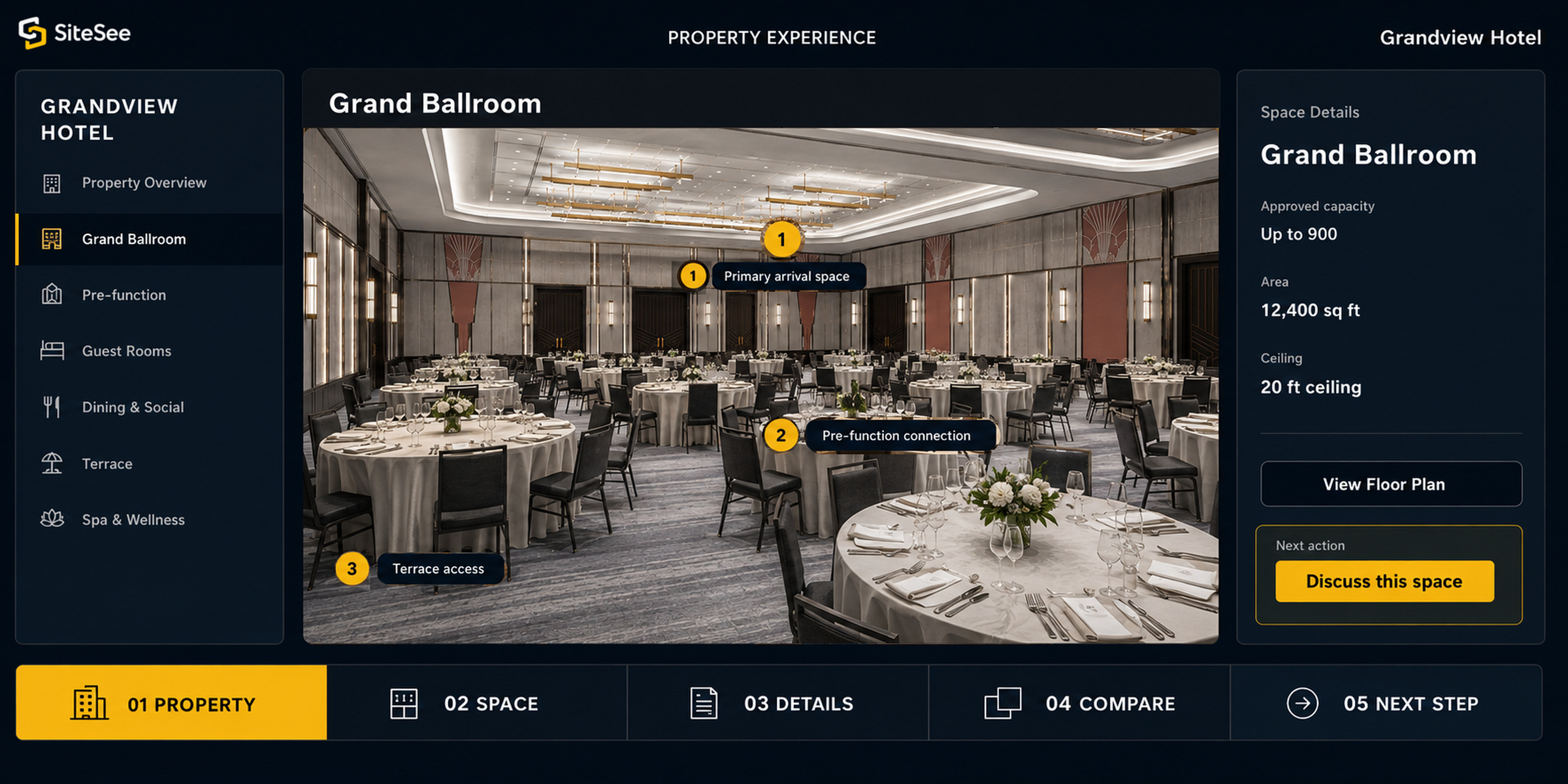
Contextual Actions & Lead Routing
Put the right next action where confidence forms.
A generic contact button makes your buyer leave the property experience and work out what to do next. SiteSee can place a relevant action beside the room, arrangement, amenity or property relationship that created interest, making it easier for the buyer to continue while the context is still clear.
Move from understanding to conversation.
Place contact, RFP or inquiry actions beside the space and supporting information that make each action relevant.
Route the response responsibly.
When lead routing is enabled, send the response to the right property, department or representative instead of creating another manual handoff.
Keep the platform authoritative.
SiteSee connects buyers only to workflows and destinations that have been reviewed and approved. Booking, availability, rates, contracts and transactions remain in the systems that officially manage them, while the appropriate actions can still be placed directly inside the SiteSee experience.
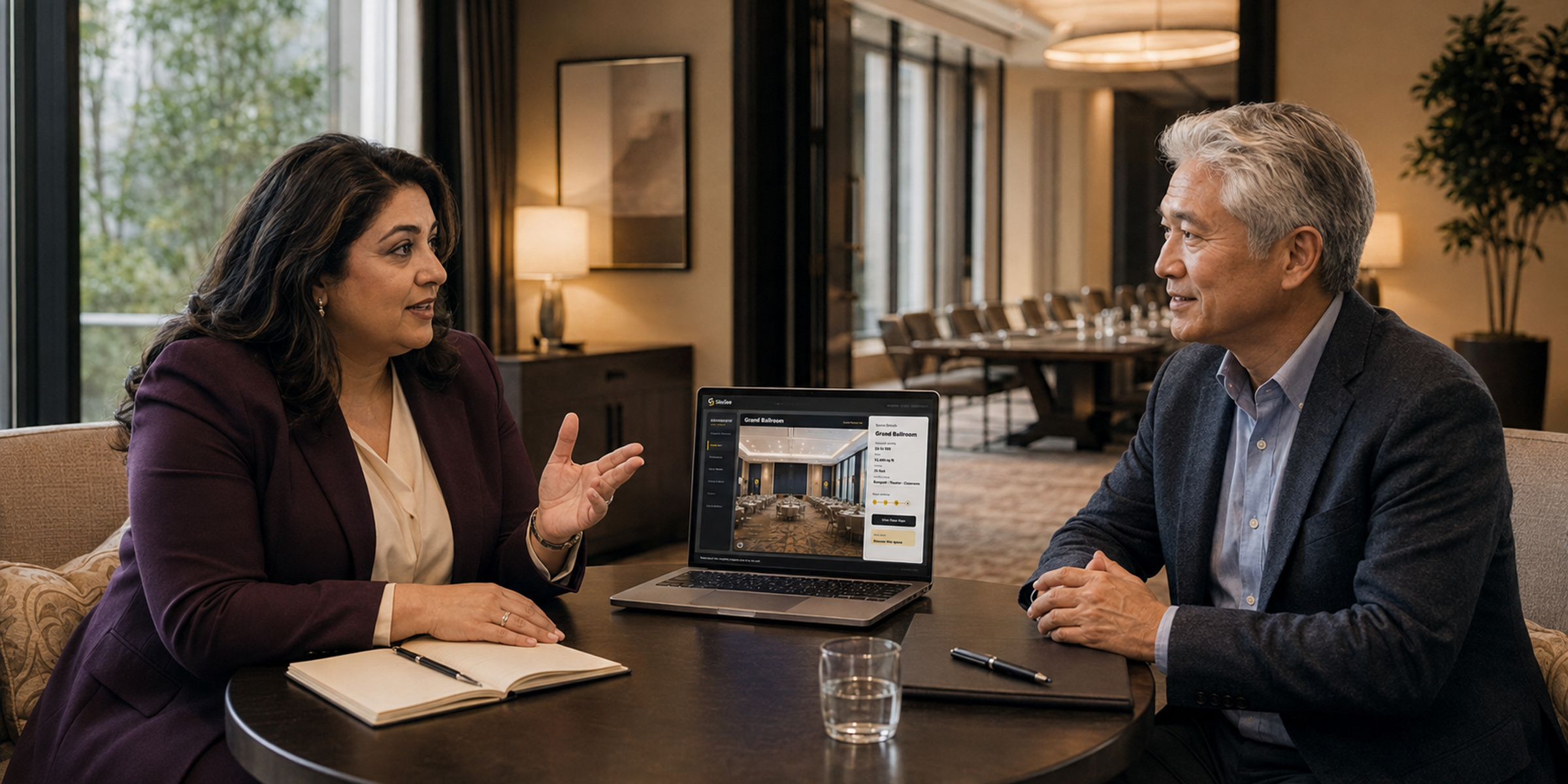
Guided Pathways
Guide attention without taking choice away.
Your property can support many kinds of buying decisions without creating different, conflicting versions of the truth. SiteSee organizes approved spaces, information and actions around the reason each person is evaluating the property.
A well-designed pathway reduces searching, keeps important relationships visible and gives your salesperson and buyer a shared route into a more focused conversation.
Review guided-pathway capabilities →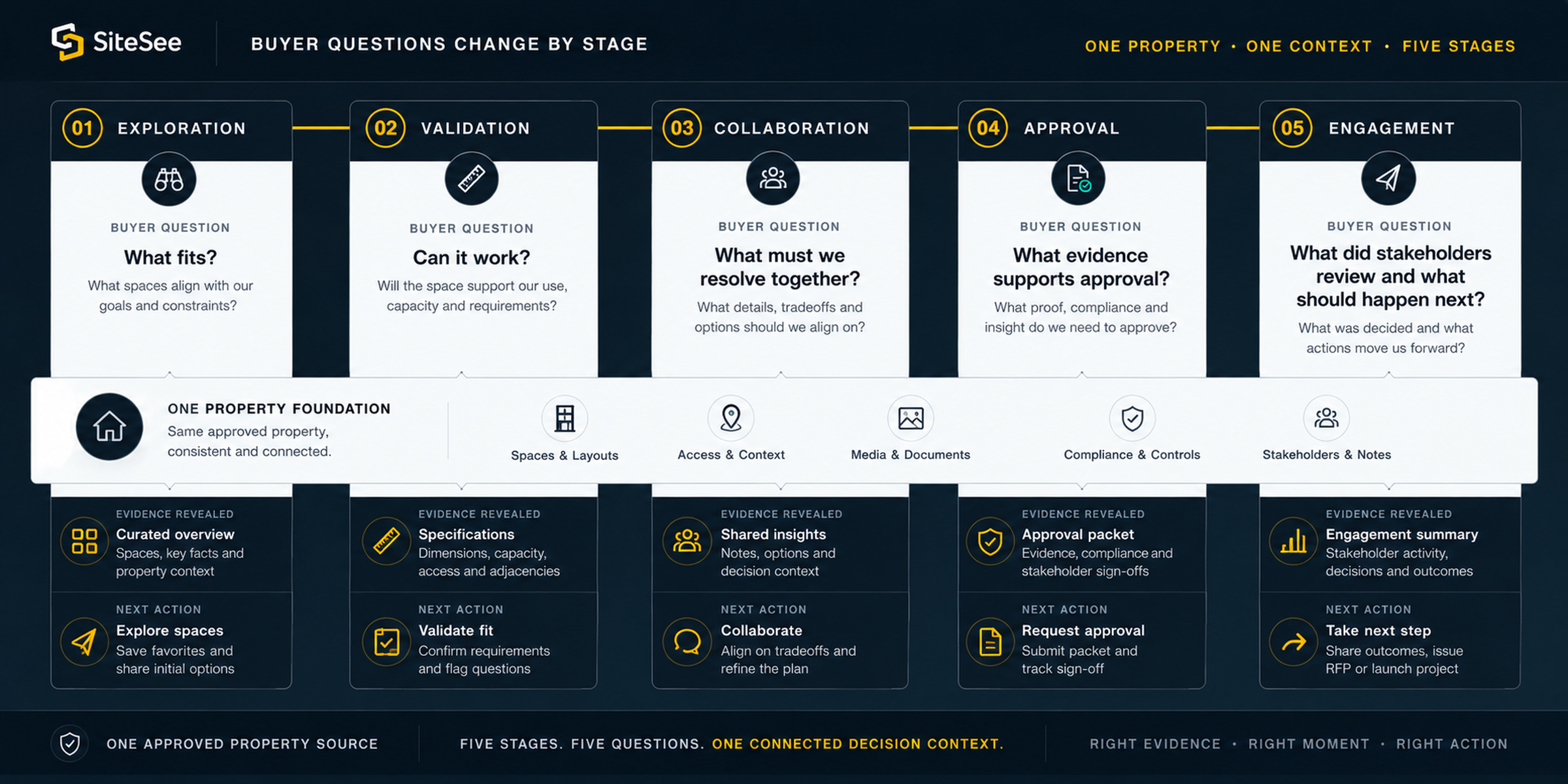
Interactive Access
Add deeper interaction only when it gives the buyer a clearer answer.
An interactive hotspot can connect what your buyer is viewing to an approved package, offer or outside destination at exactly the right moment. When it serves a clear purpose, an eligible experience can also extend to supported immersive hardware. SiteSee helps you decide where these options genuinely make the experience more useful, then confirms the destination, device support and ownership before they are added.
Before the conversation.
Your buyer can become familiar with the property and arrive with more specific questions.
During the conversation.
Your team can open the exact location and approved information being discussed.
After the conversation.
Your buyer can return to the same reference and share it with other decision-makers.
Guided selling does not replace your salesperson. It keeps the property context available between conversations, so judgment, listening and follow-up can be used where they add the most value.
A Controlled Starting Scope
Start with one buyer decision and the shortest useful path through it.
Getting started is straightforward. You do not need every navigation option, pathway, action or access mode on day one. Begin with one important audience, the spaces that shape their decision, the approved information they need and the next action they should be able to take. SiteSee will guide you through each choice and help keep the first experience focused, useful and easy to manage.
You do not have to sort through the technical details alone. SiteSee will confirm what is already available, what can be configured and what requires separate validation, then help you shape a practical starting scope around your plan, property and priorities.
Buyer Experience & Guided Selling
Build the shortest useful path from first interest to the right next conversation.
Bring us the property, the audience and the decision buyers find hardest to make. SiteSee will help you choose the guided-selling capabilities that make that decision clearer without adding unnecessary complexity.