The SiteSee Platform

Your buyers should not have to build the property in their heads.

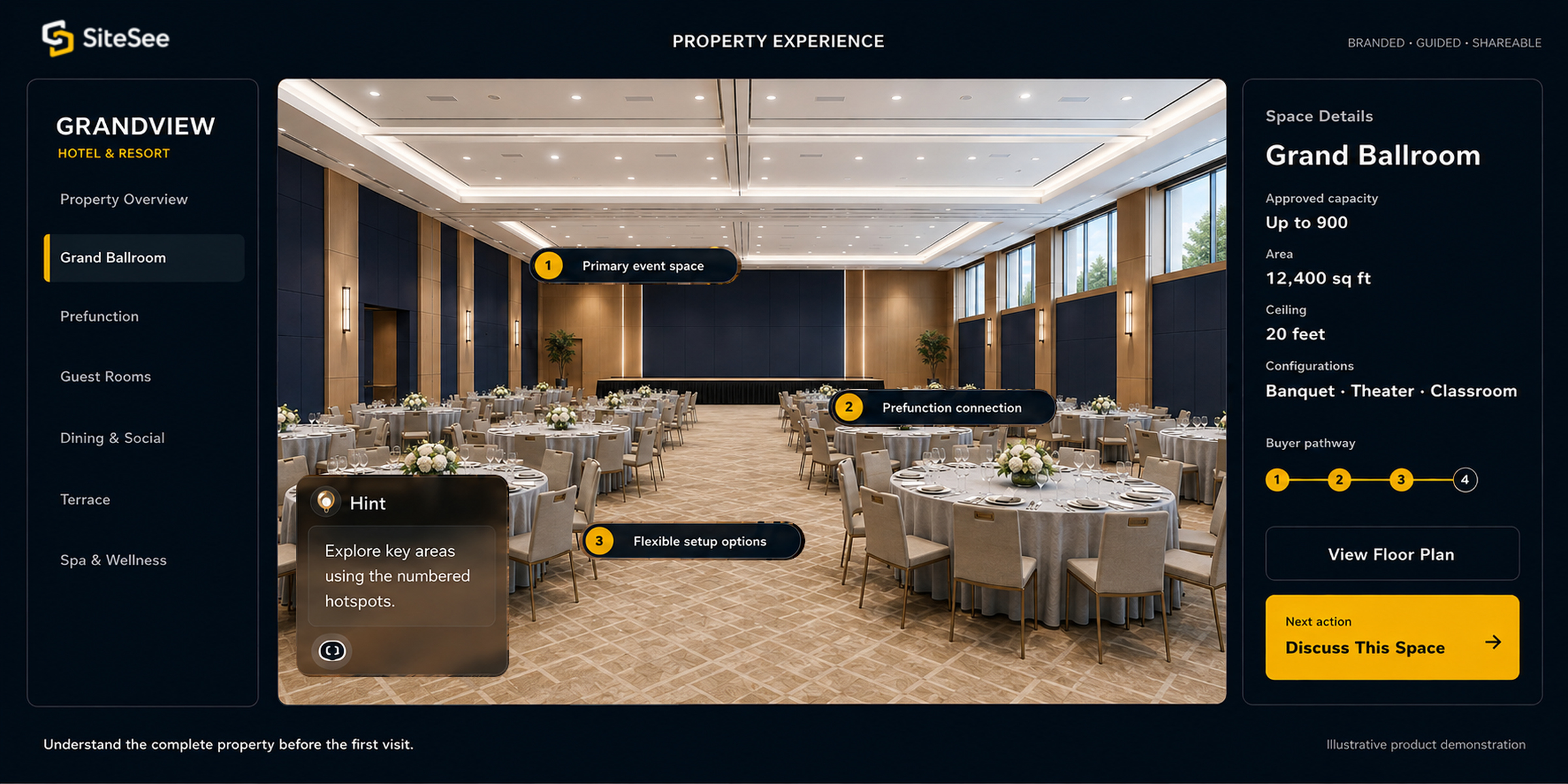
When spaces, plans, specifications, media and conversations live in separate places, every buyer forms a different picture. SiteSee connects them in one branded sales and planning environment—and gives your team evidence for a more relevant next conversation.

One connected experience from first look to next step.
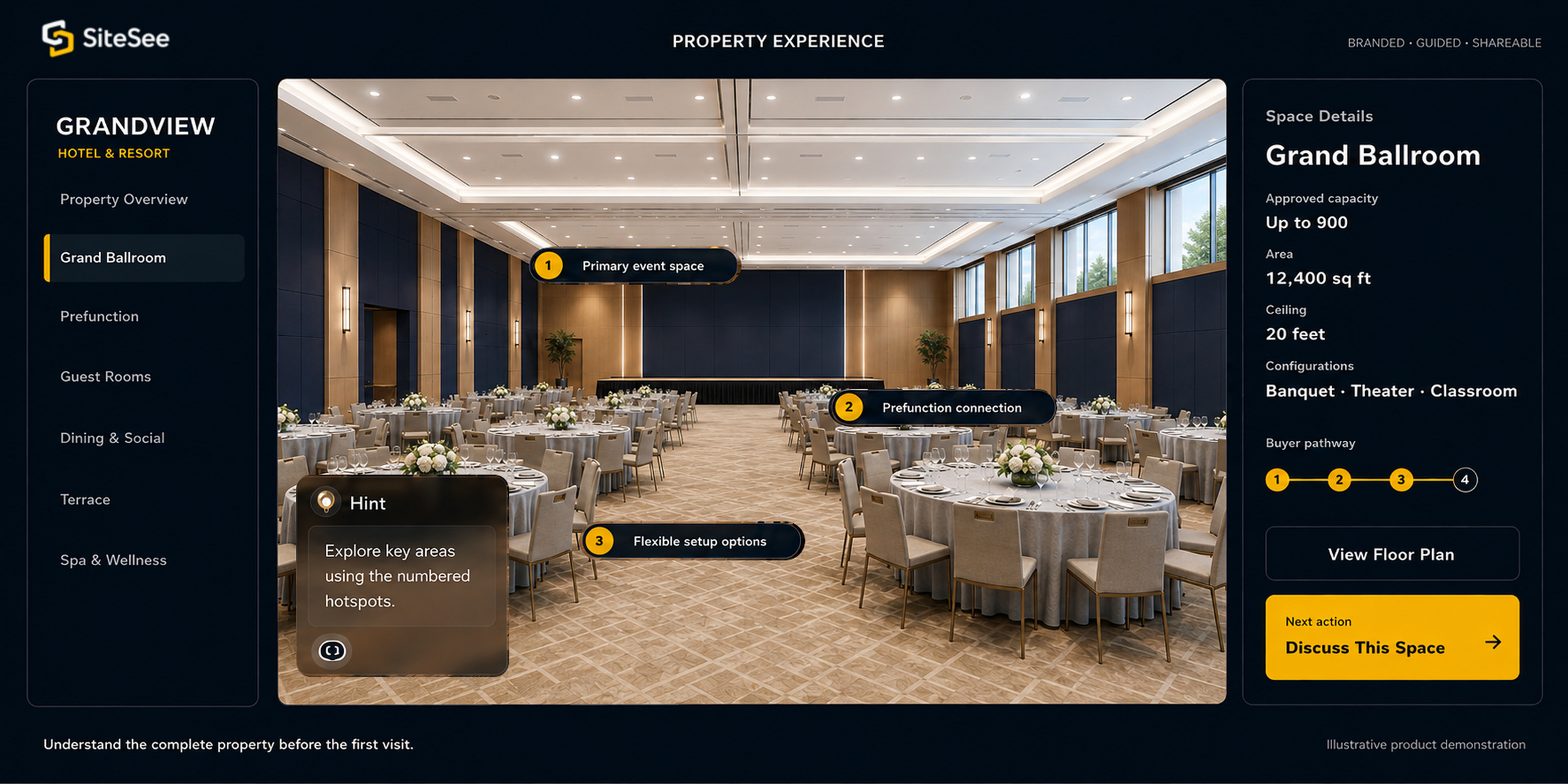
SiteSee buyer Property Workspace Direct Interface
SiteSee buyer-property workspace Explore the property Review planning details Take the next step
For buyersUnderstand fit earlier.

See how spaces connect, compare options and return when questions arise.

For plannersReview details in context.

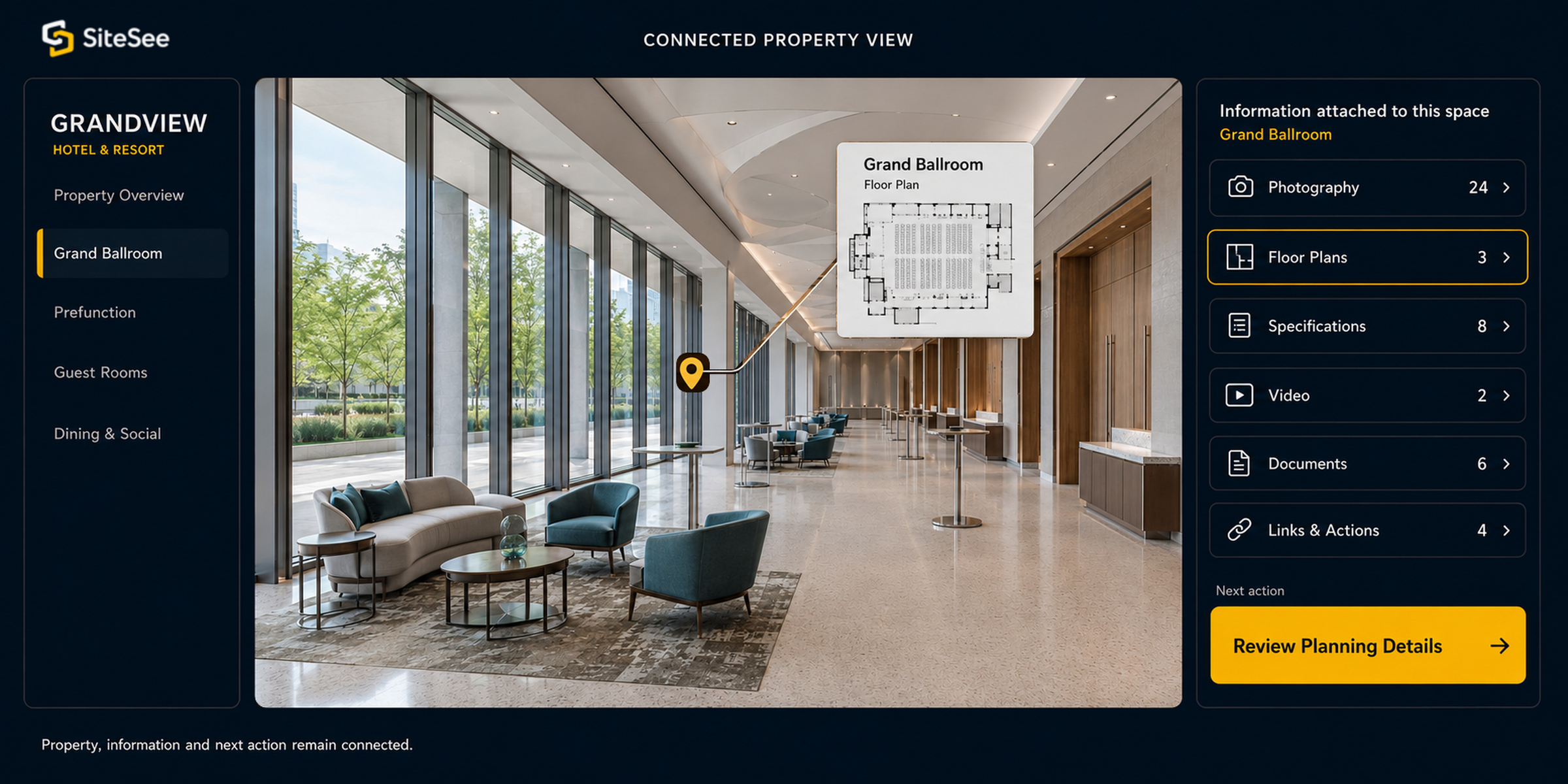
Keep layouts, dimensions, configurations and supporting information connected to the space.

For sales teamsPresent and share consistently.

Guide attention during the conversation, then leave the same approved experience behind.

For leadershipSee what earns attention.

Understand engagement across spaces, content, campaigns, properties and audiences.

The problem SiteSee resolves

Your buyer should not have to build the property in their head.

Photographs may show appearance. Floor plans may show dimensions. PDFs may hold specifications. Videos may tell part of the story. Salespeople often have to connect those pieces manually while buyers and stakeholders form different pictures of the same property.

The platform keeps the property, the information and the next action together. Buyers can understand how the space works, planners can evaluate fit and your team can continue the conversation without rebuilding the explanation each time.

What the platform lets you do

Six decisions your buyers and teams need to make with confidence.

The capabilities are organized around the decisions your buyers and teams need to make, not around isolated software controls. Each part of the platform answers a practical hospitality or venue question.

01Buyer Clarity

Let buyers understand the property before they travel.

Connect branded navigation, room-level information, media, maps, floor plans, measurements and next actions to the spaces they describe.

Branded experience · Menus · Highlight reels · Deep links · Media · Lead actions
02Planner Confidence

Let planners test fit while questions are still easy to solve.

Keep dimensions, room relationships, alternate configurations, virtual staging, maps, notes and linked planning content inside the property experience.

Floor plans · Measurements · AI-assisted design · Configurations · Spatial notes · Private access
03Guided Selling

Guide each audience toward what matters to that opportunity.

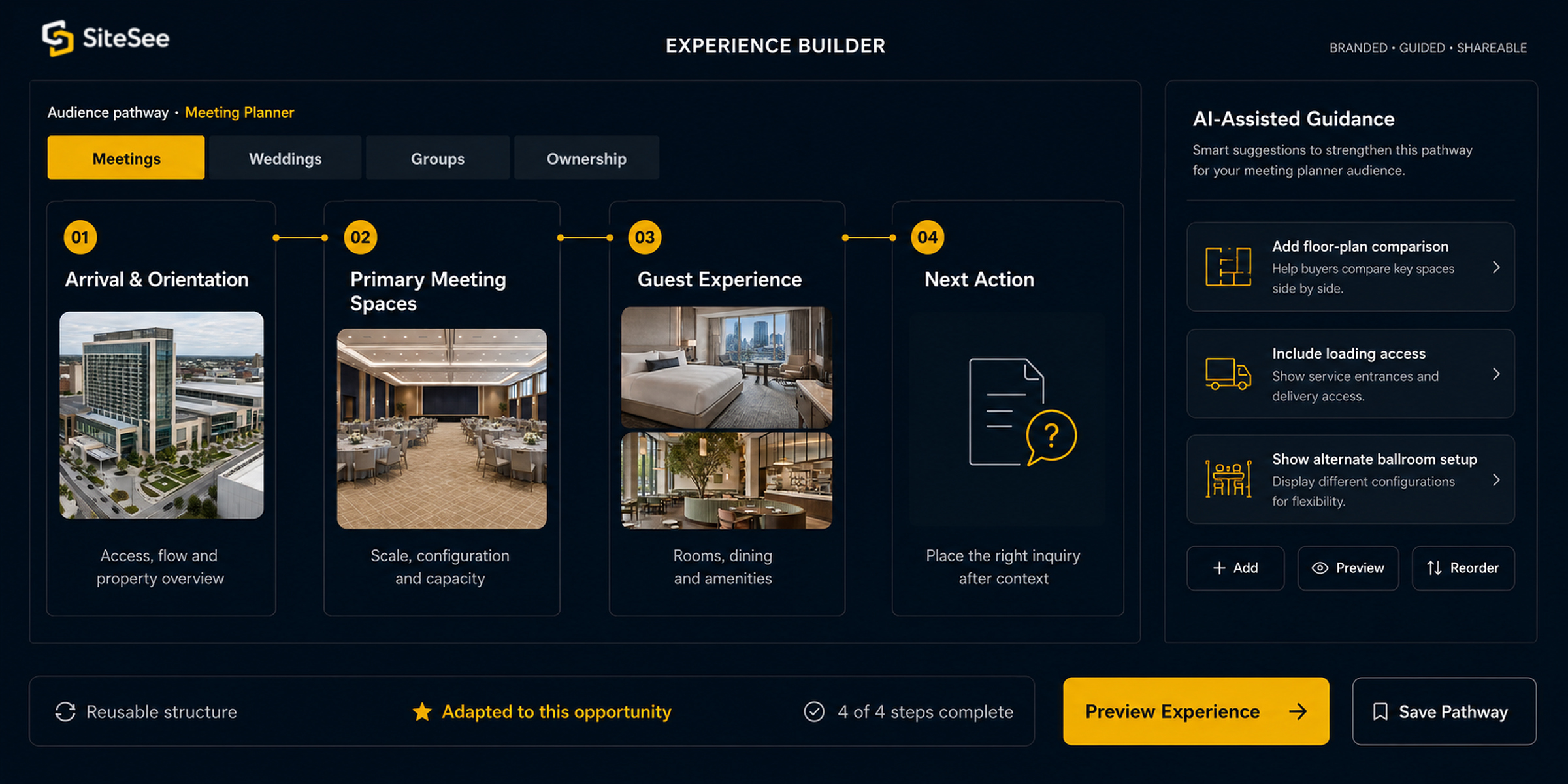
Create different pathways for meeting planners, wedding buyers, group travel, ownership, brand teams or other audiences without giving everyone the same generic presentation.

Audience-specific paths · Guided flows · In-context questions · Completion analytics · Virtual guides
04Portfolio Intelligence

Give every property a repeatable sales system and leadership a clearer view.

Organize workspaces, brand profiles, permissions, campaign links, heat maps, engagement analytics and scheduled reporting across properties and teams.

Workspaces · Brand profiles · Permissions · Smart links · Heat maps · Scheduled reports
05Extend Buyer EngagementOnsite Experience

Carry the experience from pre-arrival into the building.

Support route planning, kiosk guidance, augmented-reality navigation, accessible route choices and event-day routing when the property and deployment justify it.

Web navigation · Kiosks · AR guidance · Route controls · Branded interface · Guest information
06Extend Platform ValueOperational Guidance

Put operating knowledge where the work happens.

Connect spatial notes, attachments, status, procedures, protected access and integrations to the exact physical locations where teams need them.

Notes · Attachments · Status workflows · Guided procedures · Roles · APIs & IoT when justified
Across the buyer journey

Keep the same property context as interest becomes evaluation, planning and action.

SiteSee can remain useful as the buyer moves from discovery to evaluation, planning, stakeholder review and action, while your team learns what helped the opportunity advance.

01

Discover

Enter from your website, proposal, email, campaign or direct link.

02

Evaluate

Explore relevant spaces, compare options and review practical details.

03

Plan

Validate early fit, requirements, configurations and spatial relationships.

04

Share

Give every stakeholder the same approved property understanding.

05

Act

Place the inquiry, RFP, contact or other next step where intent forms.

06

Learn

See what buyers explored and make the next conversation more relevant.

AI-assisted design + guided pathways

Build the right experience for the buyer in front of you.

A meeting planner, wedding buyer, owner, exhibitor and operations partner do not need the same information in the same sequence. Audience-specific pathways help your team direct attention without over-controlling the experience.

AI-assisted design alternatives can help buyers consider configurations, renovations or future spaces before those conditions physically exist. Approved paths and visual assets can be reused while the experience remains relevant to the opportunity.

Different sequences for different buying situations
Visual alternatives for configurations or future spaces
Reusable guidance without repetitive rebuilding
Completion insight for guided experiences
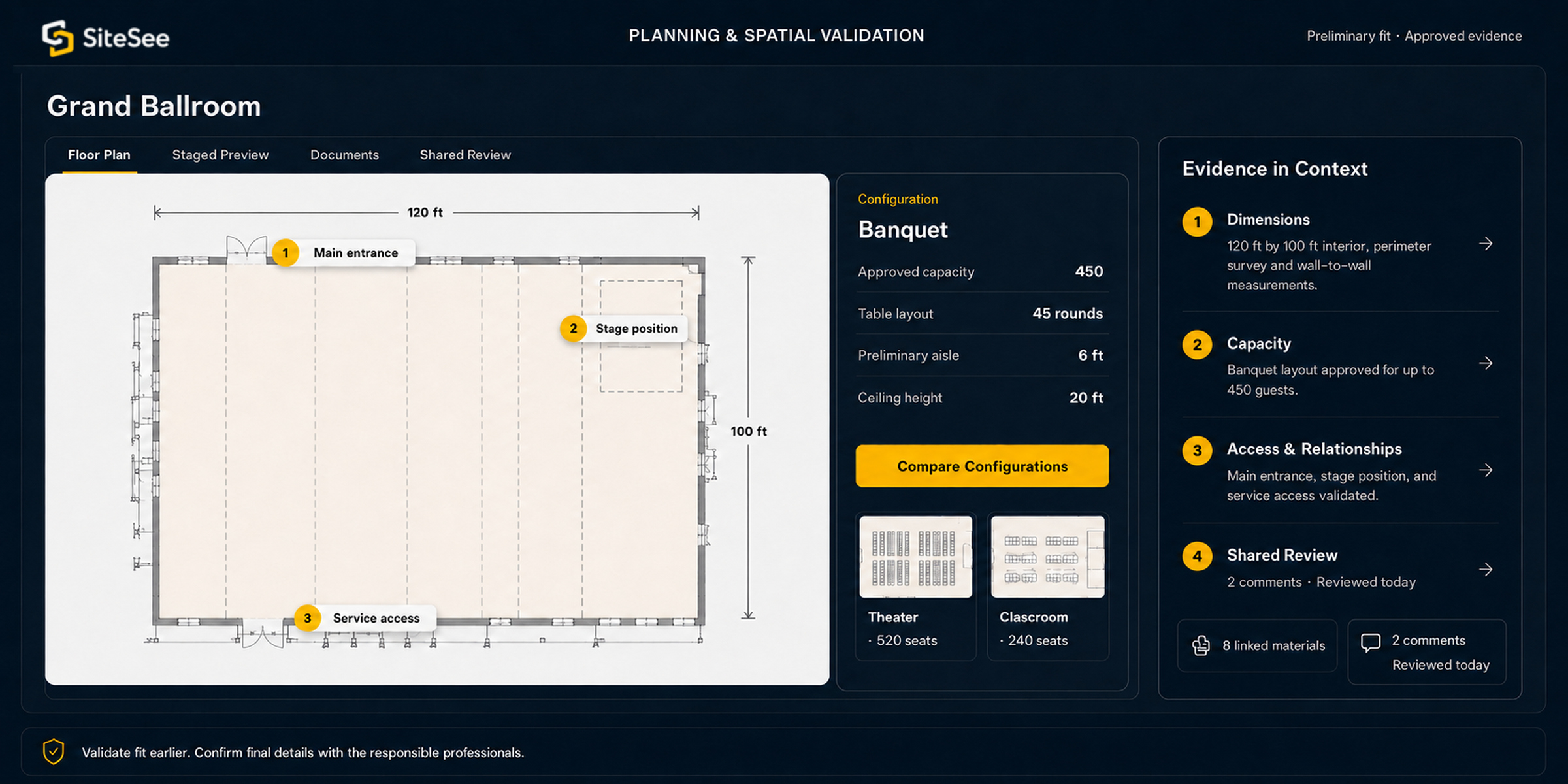
SiteSee planning Spatial Validation Direct Interface
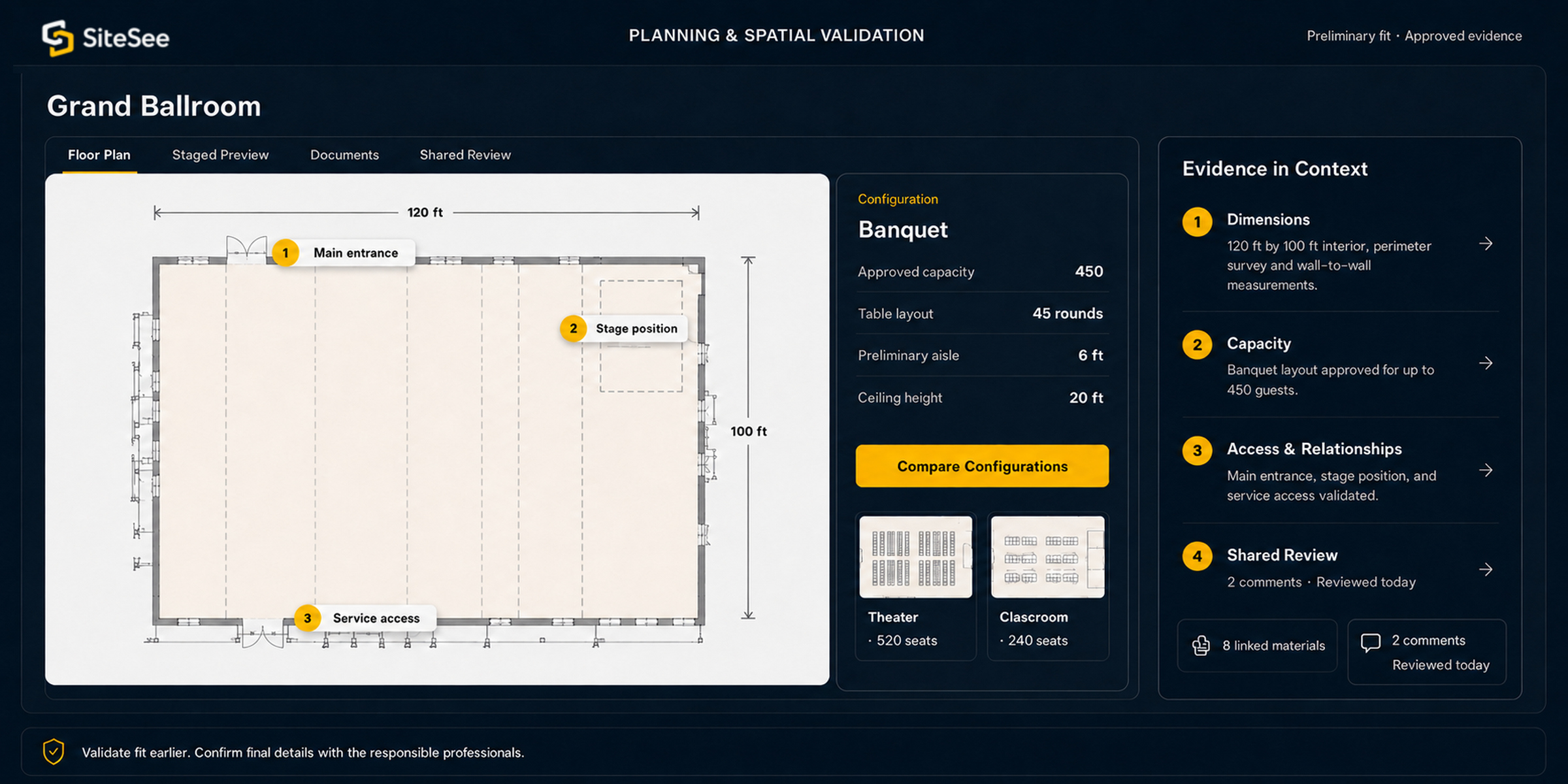
SiteSee planning and spatial-validation interface

Digital measurements and configurations support preliminary evaluation and collaboration. Final rigging, capacity, accessibility, life-safety and production decisions require approved plans and professional verification.

Planning in spatial context

Keep planning information connected to the space it describes.

When layouts, dimensions, AV details, loading information, configurations and documents live outside the property experience, planners must interpret how those pieces relate. SiteSee keeps the evidence attached to the location, room or route it explains.

Floor plans and preliminary measurements
Maps and exact-location links
Alternate configurations and virtual staging
Spatial notes, attachments and review status
Protected access for sensitive content
Downloadable or linked planning materials
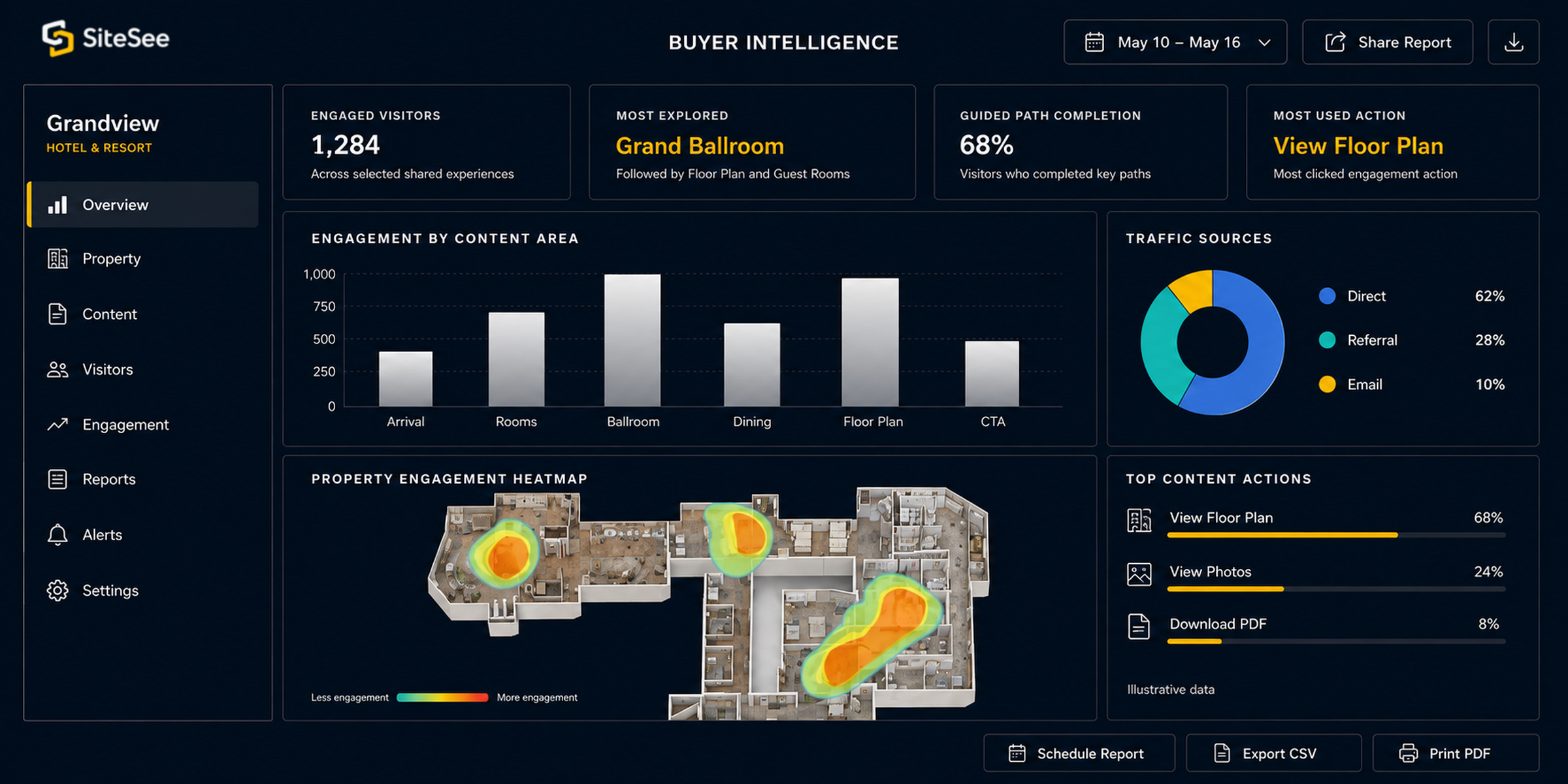
Engagement analytics

Know what mattered before the next conversation begins.

Your team should not have to guess whether buyers returned, which spaces held attention or which information helped them advance. SiteSee can create a clearer evidence trail across traffic sources, interactions, spaces, content, guided pathways and calls to action.

Traffic sources and campaign-specific links
Views, clicks and interaction analytics
Heat maps and space engagement
Guided-path completion analytics
Scheduled reporting
Google Analytics connection
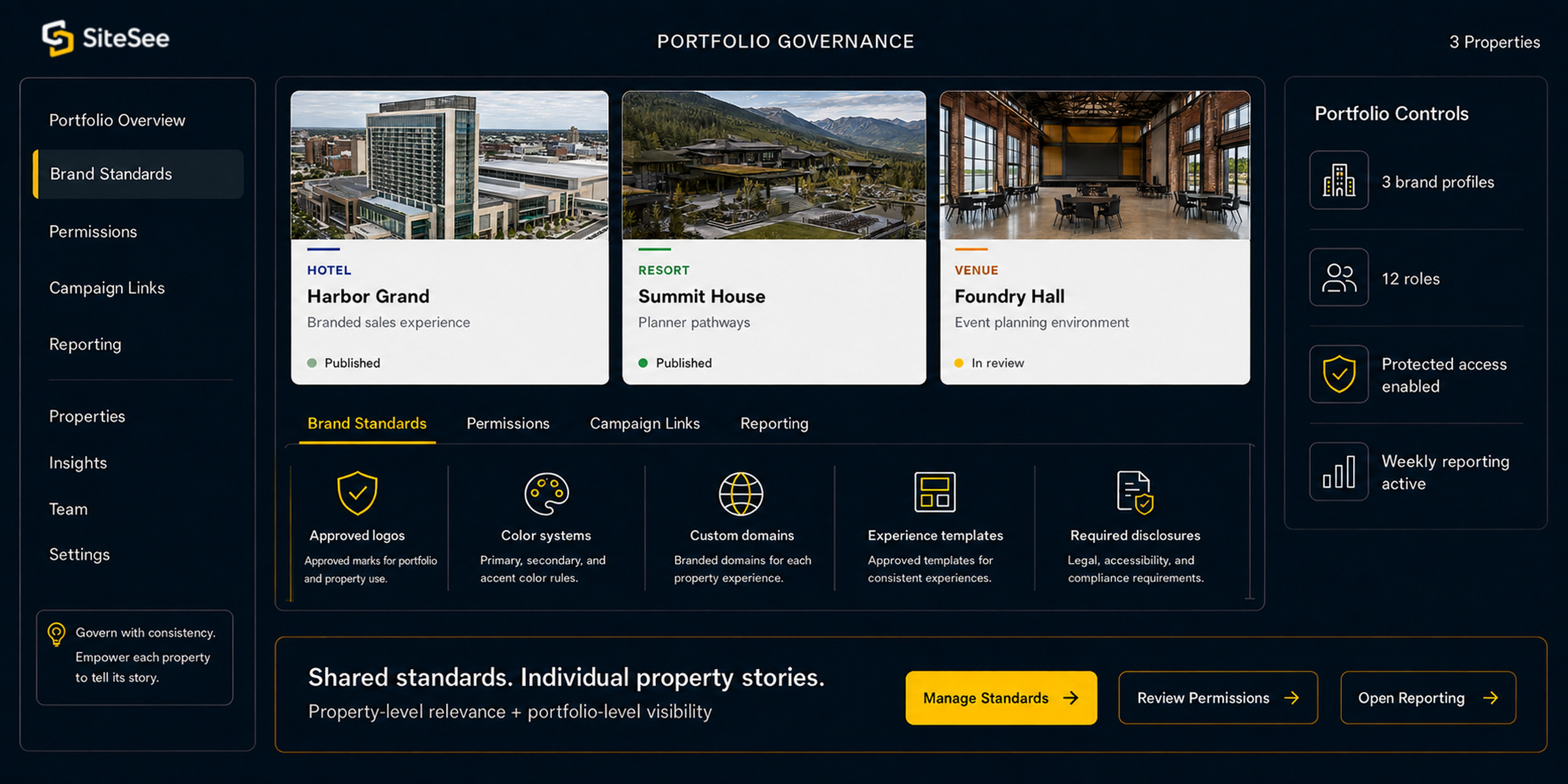
Property relevance + portfolio governance

Create consistency across properties without making every property look the same.

Your properties need common standards for branding, permissions, access, reporting and reusable practices. Buyers still need each property to feel individual. Workspaces, brand profiles and controlled sharing let leadership establish the system while local teams preserve the property story.

Separate workspaces by property or team
Brand profiles, white label and custom domains
Roles, permissions and protected access
Campaign links, analytics and reporting
A practical path to deployment

Start with the commercial use. Expand only when the operating need justifies it.

The strongest initial deployment normally begins with buyer clarity, property presentation and measurable engagement. Planning, onsite navigation and operational integrations can be added when they solve a defined need and the economics support the added scope.

01

Immediate sales value

Start here

Branded property experience, menus, media, floor plans, measurements, deep links, share and embed controls, lead actions and engagement analytics.

02

Planning differentiation

Expand with the buyer need

Virtual staging, AI-assisted design, configuration examples, maps, spatial notes, private access and audience-specific guided pathways.

03

Onsite and operational expansion

Scope when justified

Indoor navigation, kiosks, AR guidance, operational notes, guided procedures, protected workspaces, APIs, IoT and custom dashboards.

Your operating environment

Strengthen the channels your team already uses—without rebuilding the sales process around new software.

SiteSee can be embedded on your website, shared through direct links and proposals, protected for selected audiences and connected to analytics or external systems when the use case requires it.

Website & sales channels

Publish where buyers already engage.

Embed the experience, use direct links, connect proposals and create campaign-specific pathways.

Content & planning

Keep supporting information in context.

Connect approved documents, media, floor plans, maps, forms and third-party pages when they permit embedding.

Analytics

Add engagement evidence to the sales process.

Use platform reporting, campaign links, scheduled reports and Google Analytics connections.

Authoritative systems

Integrate live data only where accuracy can be maintained.

Availability, rates, inventory, orders or CRM records require a scoped connection to the authoritative system that owns the data.

Accuracy matters: SiteSee is not presented as a native property-management, venue-booking, event-management or CRM system. Live operational data requires the appropriate integration and verified source.
Show More. Decide Faster.

Start with the questions your current materials still leave unanswered.

Start with the sales and planning questions your current materials leave unanswered. Then build the platform around the spaces, information, audiences and decisions that matter most.