
Onsite Navigation & Operational Guidance // The Property and Flexible-Space Sales Operating System
Make arrival easier—and place staff guidance where the work happens.
SiteSee can extend the same connected property foundation used before the decision into pre-arrival route planning, onsite wayfinding and protected operational guidance. Guests, attendees, vendors and staff receive the context appropriate to their role without exposing every layer to every audience.
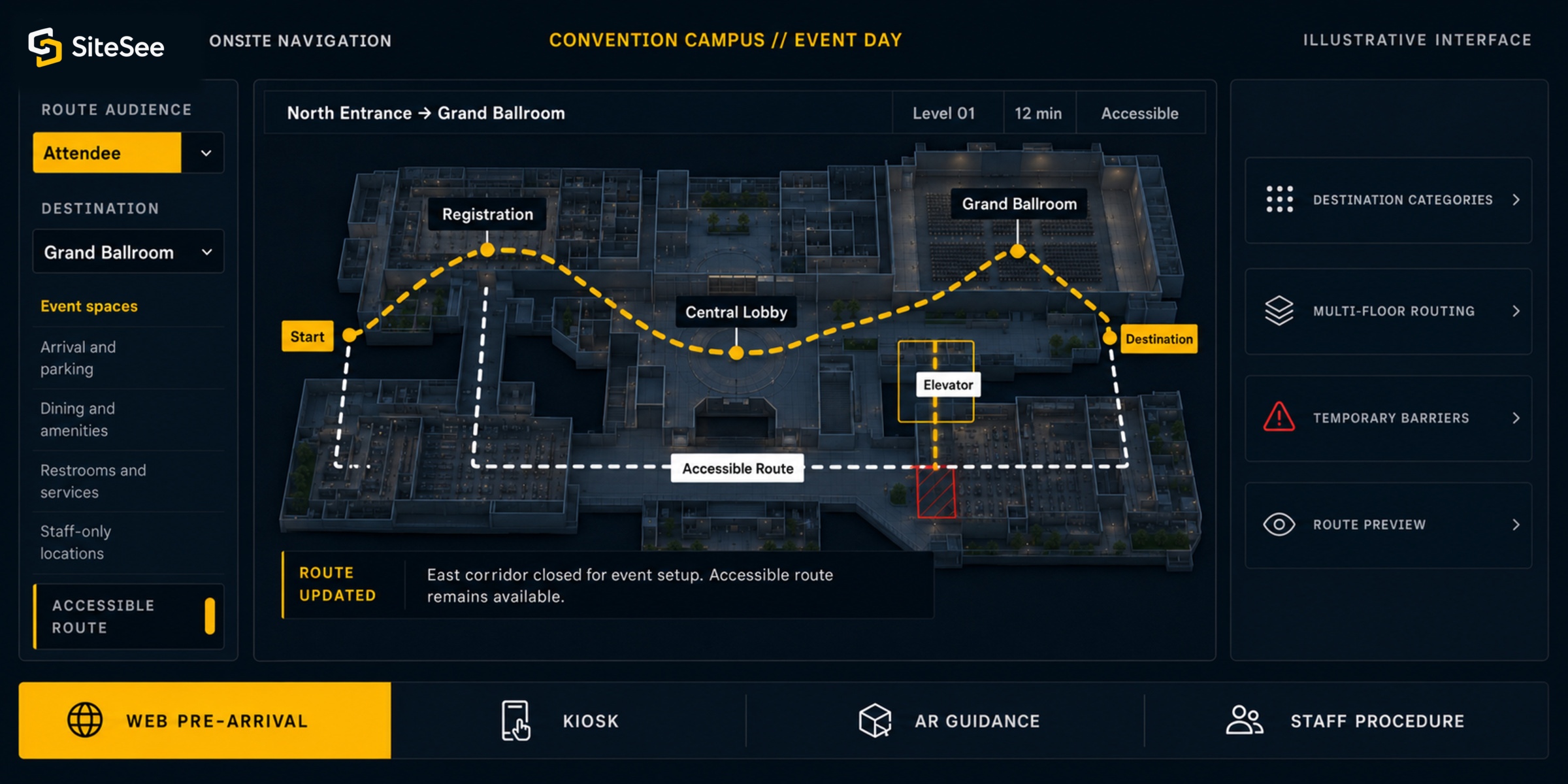
One Spatial Foundation. Two Different Jobs.
Give visitors clear directions while keeping protected operational guidance separate.
The guest who needs the ballroom and the staff member who needs the loading sequence are looking at the same property, but they should not receive the same information or interface.
SiteSee separates public wayfinding from protected operational guidance while keeping both connected to the correct physical location.
Reduce uncertainty before and during arrival.
- Searchable destination categories
- Web pre-arrival route planning
- Accessible elevator or stairs choices
- Kiosk and augmented onsite guidance
- Temporary route updates and barriers
 Shared property modelSeparate audience controls
Put approved knowledge in the physical context where work happens.
- Users-only workspaces and role controls
- Spatial notes with media and status
- Guided procedures from approved source material
- Augmented knowledge overlays
- Scoped API, IoT and security connections
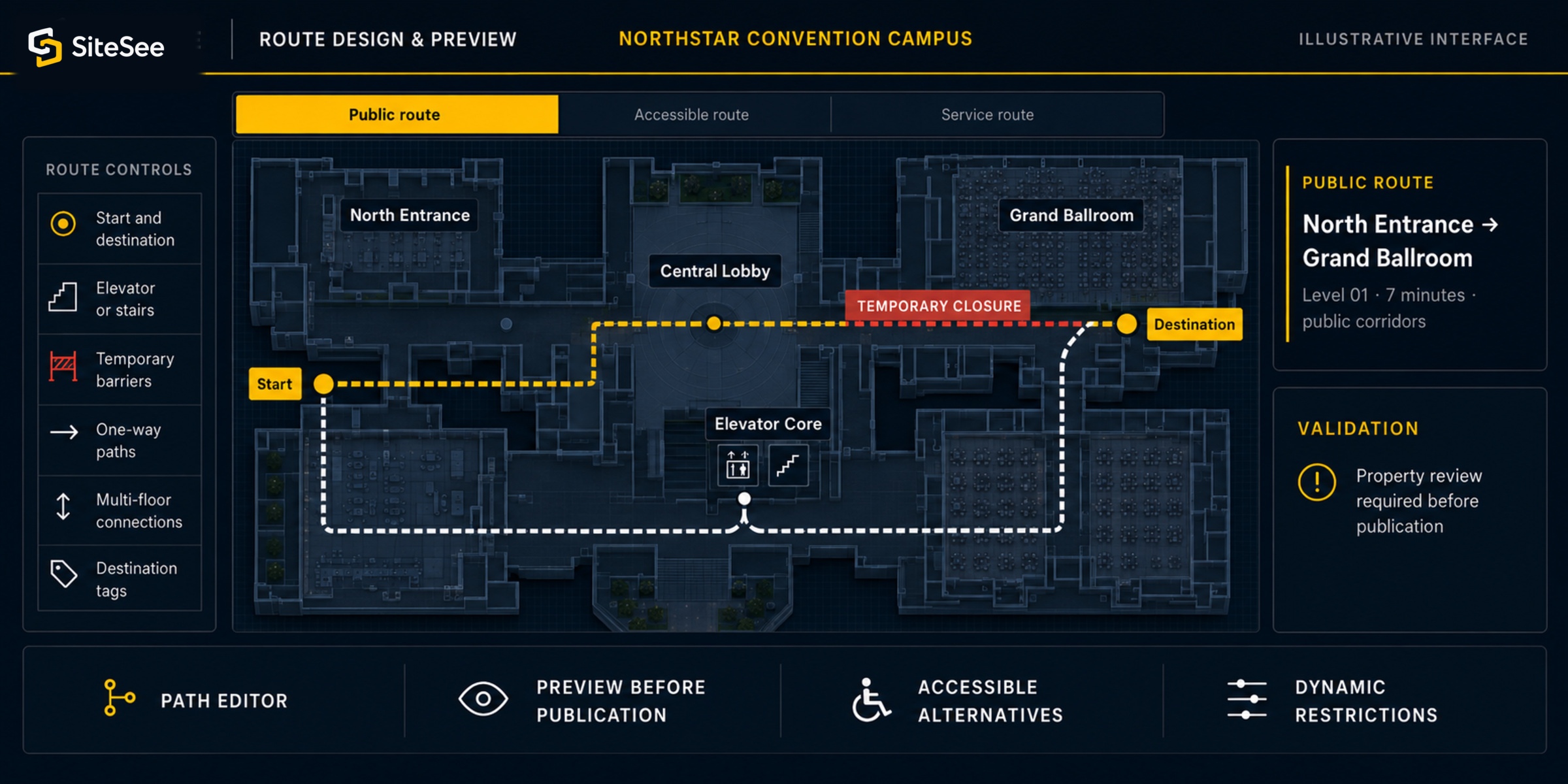
Design the Route Before the Pressure Begins
Make the navigation reflect how the property actually operates.
Useful wayfinding is not a line drawn across a generic map. Routes must account for entrances, levels, elevators, stairs, closures, staff-only areas, one-way movement, destination naming and the changing conditions of a live property.
From Pre-Arrival to the Final Turn
Use the guidance at the moment each person needs it.
The same destination can be reached through different touchpoints. SiteSee can support a route before departure, at a lobby decision point, through an augmented onsite view, or inside a protected staff workflow.
to Grand Ballroom
Web route planning
Help guests and attendees understand entrances, parking, walking time and the destination before the trip begins.
Add-on Where are you going?Search destinationsGrand Ballroom →
Kiosk navigation
Place a branded search and route interface at entrances, registration, concourses or other high-decision locations.
Enterprise / customAugmented onsite guidance
Provide route direction through a supported mobile environment when the property and deployment are validated.
Add-onPre-event check7 of 9 complete
Protected operational guidance
Connect authorized staff to the approved note, checklist, media or procedure associated with the exact location.
Plan or enterprise scopeOperational Guidance in Spatial Context
Stop separating the instruction from the place where the work must happen.
Operational knowledge is harder to use when it lives in a document, chat, folder or training system that does not identify the exact room, fixture, route or decision point. SiteSee can place approved guidance at the correct location and control who is permitted to see it.
Operational guidance is a high-complexity expansion. It should be deployed only where the use case, security model, source authority and ongoing ownership are clear.
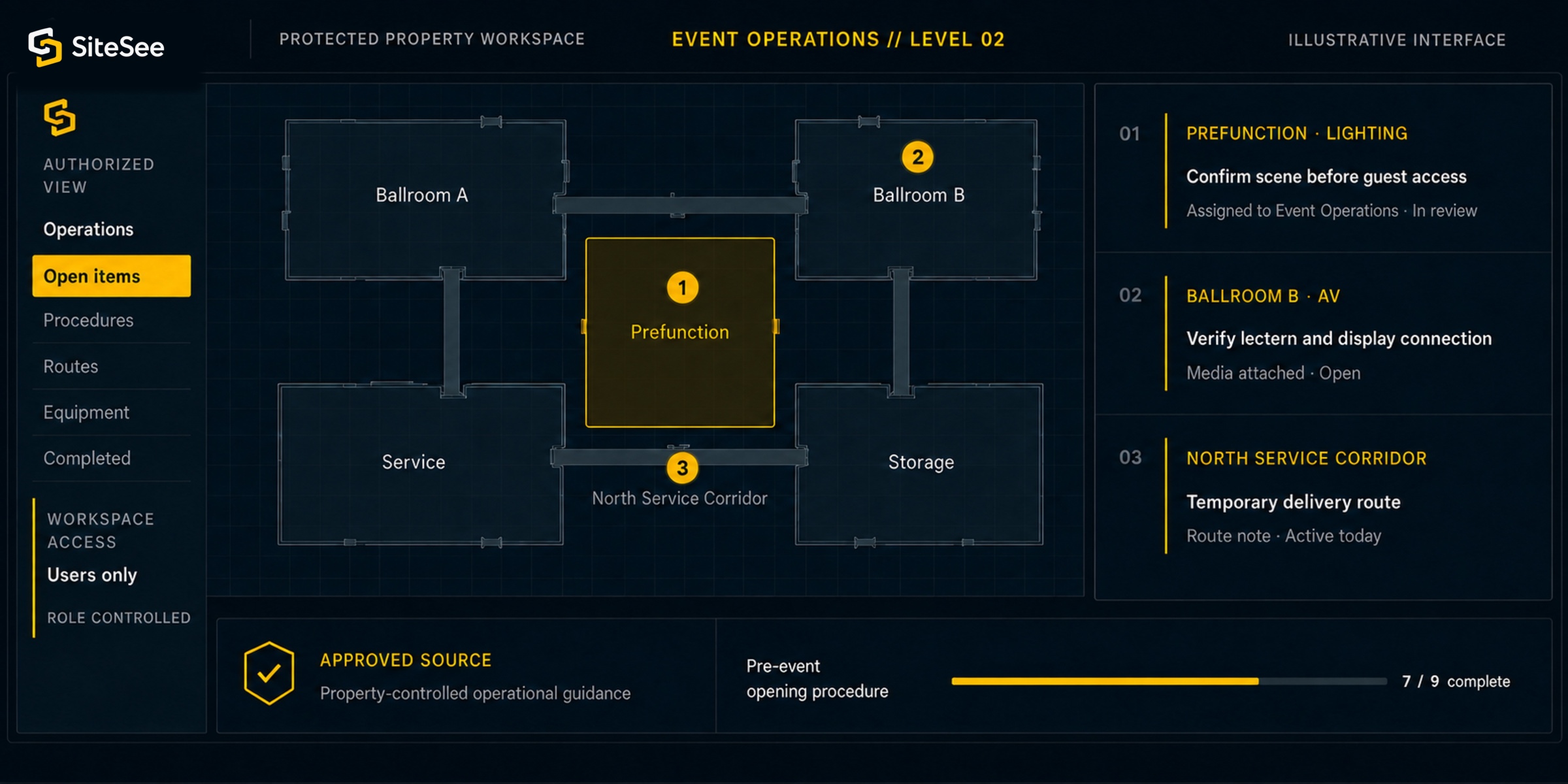
Audience and Access Control
Show each person what the role requires, not every layer the property contains.
Public directions, planner logistics and protected staff instructions can share a spatial foundation while using different access rules, content, actions and levels of detail.
A Critical Implementation Choice
Selling the property and routing people through it are related, but they are not the same task.
Active navigation can change or suppress interface elements used for free-form property presentation. SiteSee plans the sales experience and the live route experience deliberately rather than forcing both purposes into one compromised screen.
Help buyers understand, compare and evaluate.
- Guided property storytelling
- Media, plans and supporting content
- Buyer-specific pathways
- Planning and collaboration tools
- Commercial next actions
Shared spatial foundationPurpose-built experiencesHelp people move or perform a defined task.
- Destination search and routes
- Elevator, stairs and multi-floor logic
- Temporary barriers and restrictions
- Kiosk or augmented guidance
- Protected procedures and notes
A Controlled Path to Onsite Use
Map the real property, test the real route, and assign real ownership before publishing.
An onsite deployment should not begin with software configuration. It begins with the people, destinations, operating conditions and access rules the property must support.
Identify the audience and the unresolved movement or operating problem.
Separate guest, attendee, vendor, planner and staff needs before selecting the interface.
Customer conditionDocument destinations, entrances, transitions, restrictions and source information.
Confirm the physical structure and the data each route or procedure depends on.
Property truthBuild categories, routes, barriers, access and operational context.
Choose web, kiosk, augmented or protected workspace use according to the task.
SiteSee configurationTest paths and guidance with the responsible property stakeholders.
Review accessible alternatives, event-day conditions, protected areas and information ownership.
Customer approvalBegin with one useful route, event or operating procedure.
Observe where people hesitate, what staff must explain and what needs revision.
Controlled deploymentUpdate destinations, routes, content and responsibility as the property changes.
Use observed behavior and operational feedback without treating analytics as proof of intent.
Ongoing ownershipCapability and Implementation Levels
Add onsite guidance only when the operating need, ownership and economics are clear.
Navigation and operational guidance extend the commercial platform into a more demanding live environment. Availability depends on plan, property complexity, hardware, connectivity, access requirements, source authority and custom implementation scope.
Support planned routes and approved onsite guidance.
- Destination categories and search
- Path Editor and route preview
- Elevator or stairs choices
- Temporary barriers and one-way paths
- Multi-floor connections
- Navigation tags
- Supported AR navigation
Extend guidance into branded, physical or complex operating environments.
- Kiosk navigation
- Branded application or interface
- Custom permissions and workspaces
- Advanced operational procedures
- IoT, API and security connections
- Custom analytics and reporting
Confirm the environment before capability becomes a commitment.
- Device and browser compatibility
- Connectivity and physical placement
- Route ownership and update responsibility
- Accessibility and life-safety authority
- Identity, privacy and protected content
- Authoritative source systems
Navigation and Operational Boundaries
Use SiteSee to improve orientation and contextual guidance, not to replace the authorities responsible for safety and operations.
Onsite information can become outdated or unsafe when ownership is unclear. Every deployment must identify who approves the route, who updates temporary conditions, which system remains authoritative and how protected information is controlled.
SiteSee does not replace approved emergency, evacuation or life-safety plans.
Emergency routing and instructions remain under the authority of the property and responsible professionals.
An illustrated elevator or stairs option is not a certification of accessibility compliance.
Final route suitability, accessibility and accommodation requirements must be verified by the property.
Procedures, work orders, security records and equipment data remain controlled by their approved systems.
SiteSee may place or connect information in spatial context only after source and ownership are validated.
Closures, event layouts and temporary restrictions require active ownership.
The customer must define who reviews and updates time-sensitive information before people rely on it.
Begin With the Route or Procedure That Matters Most
Start with the route or procedure that creates the most repeated friction today.
Identify the destination people struggle to find, the operating instruction staff must repeatedly explain, or the event-day route that changes under pressure. SiteSee can determine whether web guidance, kiosk navigation, augmented direction, protected procedures or a more limited solution is the right next step.