
SiteSee for Museums, Civic & Cultural Properties // The Property and Flexible-Space Sales Operating System
A place built for many purposes needs more than one generic explanation.
Bring galleries, halls, performance spaces, public rooms, courtyards, visitor routes, accessibility, event details, approved interpretation, media and next actions into one connected property experience.
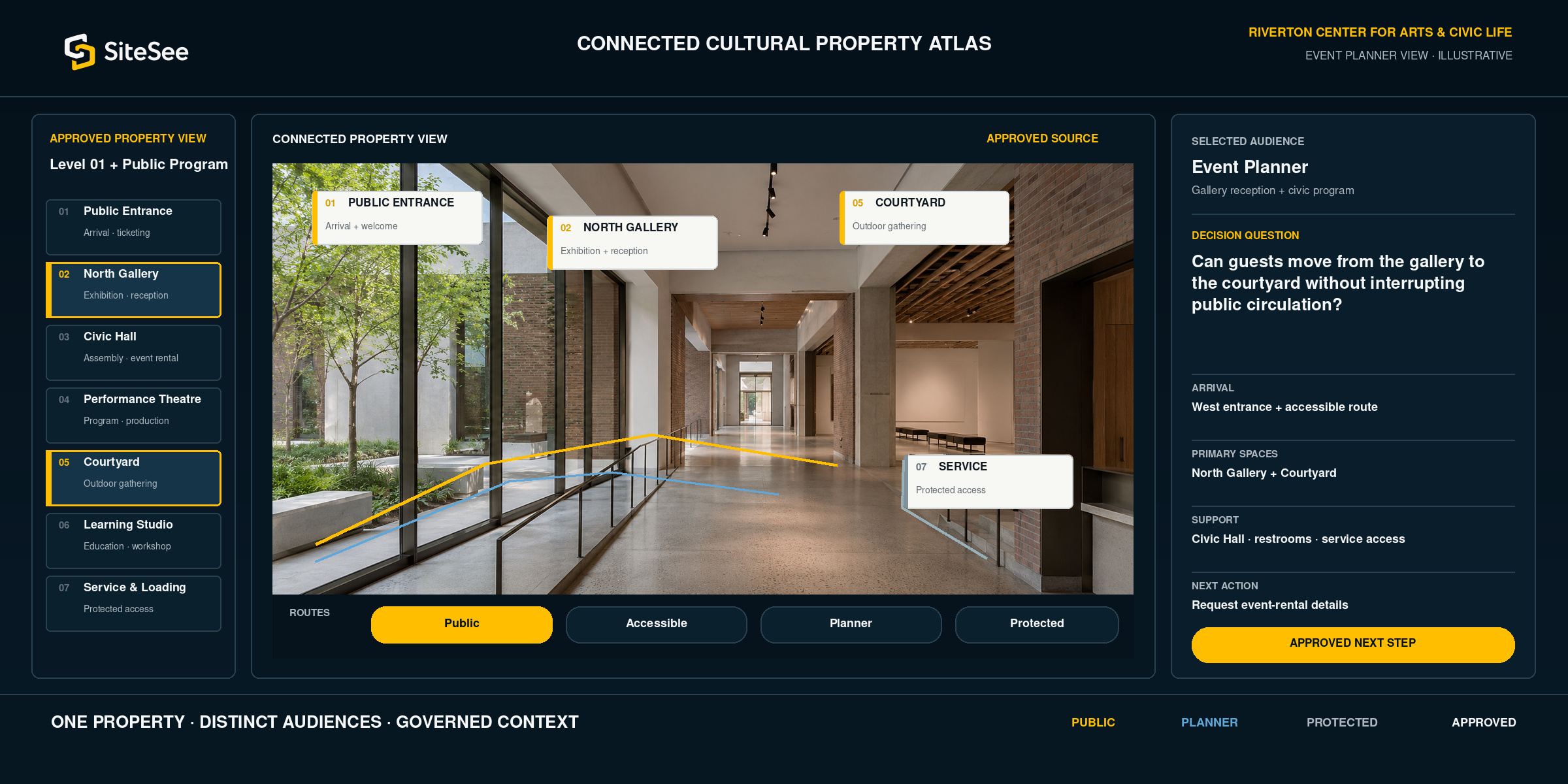
A public property can be easy to admire and hard to understand
Photographs may earn attention. Buyers and visitors still need to understand how the place works.
A website may explain the institution. An event packet may list capacities. A floor plan may show a footprint. Visitor information may describe entrances, hours and programs. The person making a decision still has to assemble the property in their head.
SiteSee connects the space, the story, the route, the supporting evidence and the approved next action. The institution can serve several audiences without rebuilding the property explanation for each one.
Explore the connected SiteSee platform →One property. Different reasons to enter it.
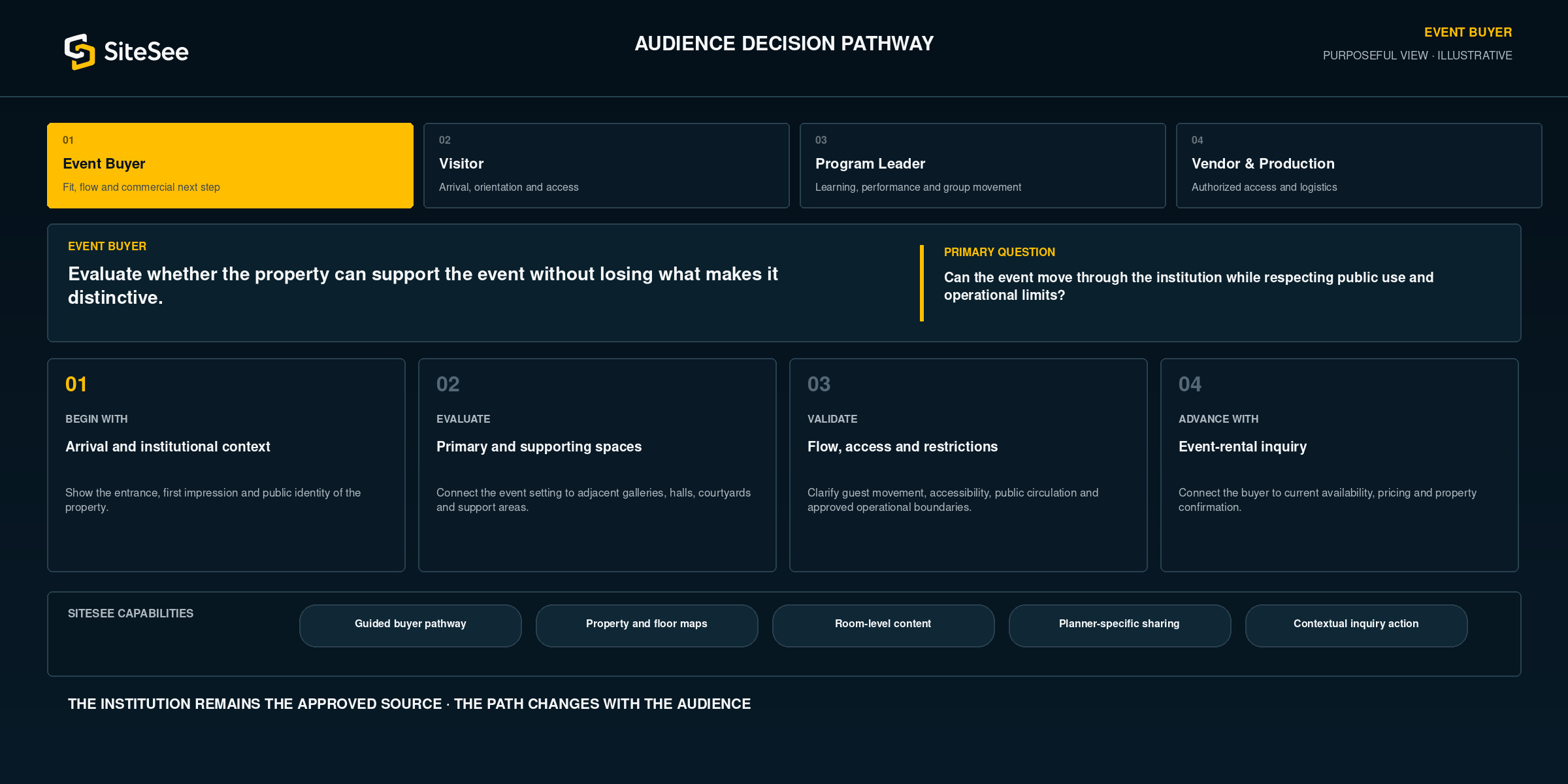
Organize the experience around the audience’s actual decision.
The institution remains the approved source. SiteSee changes the pathway, evidence and action so each audience receives a purposeful view rather than the same generic sequence.
Six connected property layers
Put the story and the practical answer in the same experience.
Each layer begins with a question an audience needs to answer, then connects the exact SiteSee capability to the place where that question occurs.
What makes this place worth choosing or visiting?
Use approved photography, video, narration and contextual content to communicate character, mission and significance without separating the story from the space.
Media tags · Branded presentation · Guided highlights · NarrationHow can the property support the intended gathering?
Connect rooms, halls, galleries, courtyards, stages, capacities, preliminary layouts and supporting areas for early fit evaluation.
Floor plans · Dimensions · Configuration comparison · Deep linksWhere should people enter, move and gather?
Present parking, public entrances, accessible routes, elevators, stairs, restrooms and multi-building relationships in approved context.
Property maps · Route planning · Accessible-path controls · Kiosk supportWhat information belongs at this location and for this audience?
Attach approved program, exhibit, educational and interpretive content to the relevant room, object, route or activity.
Content tags · Audience pathways · Video · Documents · Language optionsWhat must vendors and staff understand without exposing sensitive detail publicly?
Use controlled views for loading, staging, production, temporary restrictions, work instructions and location-specific operational information.
Protected access · Spatial notes · Role controls · Operational guidanceWhat should the person do next, and what did they review?
Connect inquiry, registration, planning contact, ticketing or support destinations while measuring approved engagement signals.
Contextual actions · Smart links · Sharing · Analytics · ReportingPresent the institution first
Flexible-space sales should strengthen the property story, not flatten it.
A museum, civic hall or cultural center should not be presented as a generic banquet facility. The buyer needs practical answers, but the architecture, mission, collections, performance, community role and public character are often part of the reason the space is valuable.
See How SiteSee Is Built →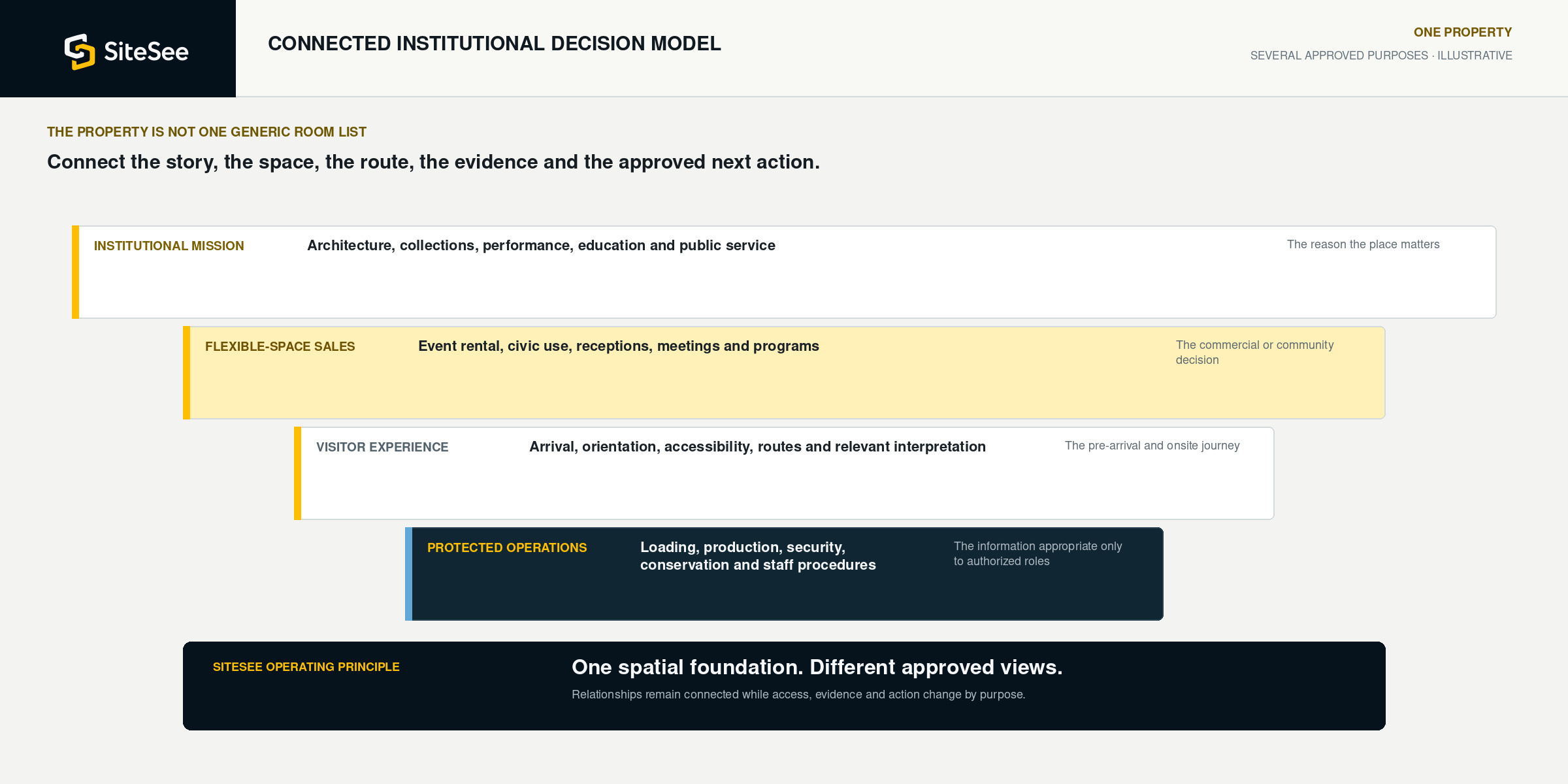
Approved institutional content gives the buyer context for the setting they are considering.
The buyer can understand commercial fit without losing the character of the property.
Clear labels and access controls preserve accuracy and institutional responsibility.
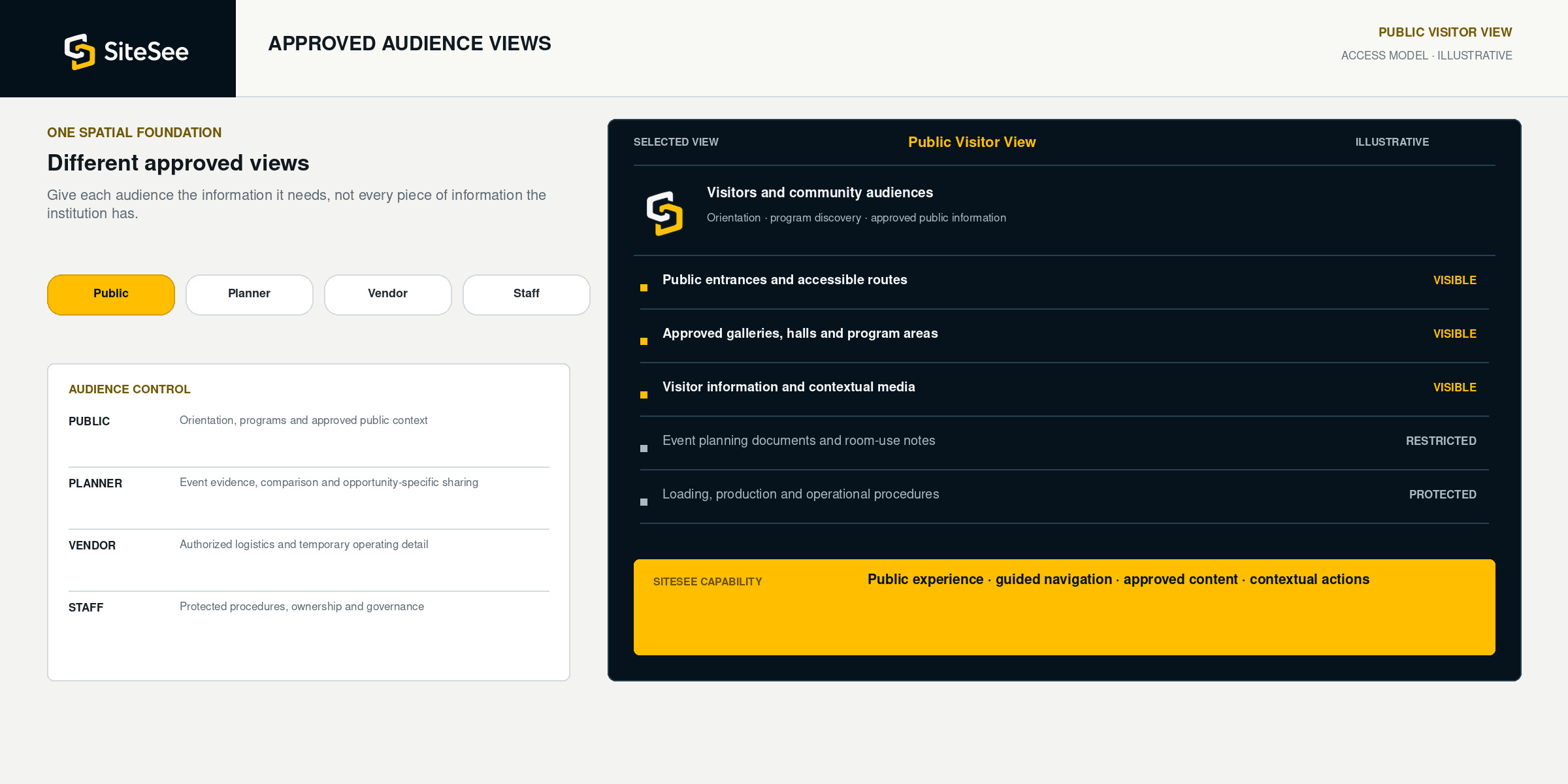
One spatial foundation. Different approved views.
Give each audience the information it needs, not every piece of information you have.
Public visitors, event planners, vendors, staff and leadership may look at the same building for different reasons. SiteSee can separate public information from planner-specific evidence and protected operating knowledge.
 Visitors and community audiences
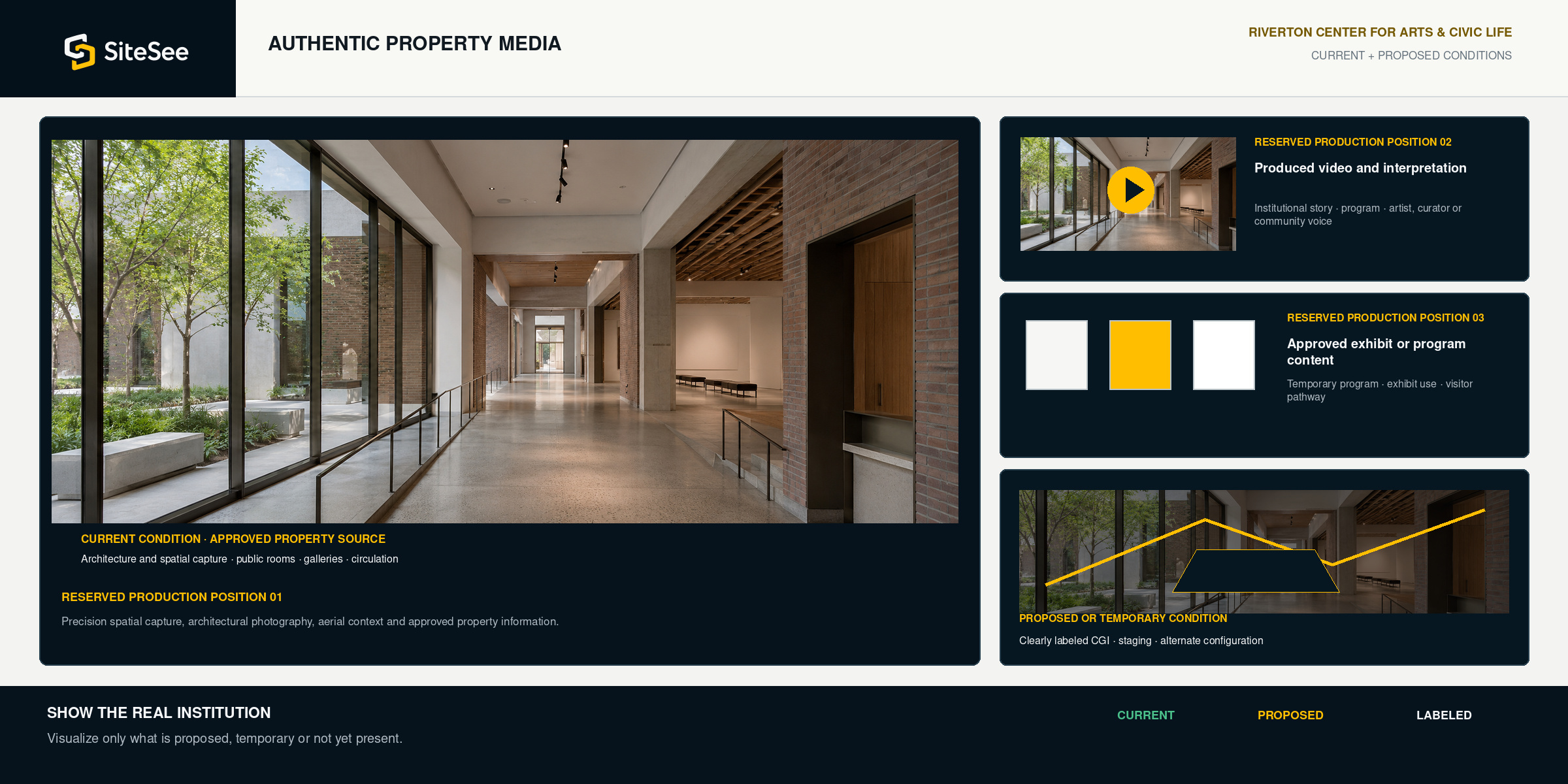
Authentic property media, deliberate visualization
Show the real institution. Visualize only what is proposed, temporary or not yet present.
Your experience should rely on approved architecture, collections, performances, public spaces, programs and people. SiteSee can also present clearly labeled future-state or temporary conditions when the buyer needs help understanding a renovation, exhibit, configuration or seasonal use.
Keep the property explanation current
Keep the digital experience useful as programs, spaces and approved information change.
The architecture may remain. Exhibitions, event configurations, programs, closures, access routes and visitor information can change. SiteSee can separate the persistent property foundation from the content that requires review, update or retirement.
Explore Governance & Publishing →Architecture, spaces and approved property relationships.
The stable spatial source that supports every audience view.
Exhibits, performances, education and civic programming.
Audience-specific content with ownership and review responsibility.
Temporary configurations, vendor information and buyer pathways.
Opportunity-specific evidence that can be shared, updated or retired.
Closures, temporary entrances, construction and accessibility changes.
Time-sensitive information that must remain clearly governed.
Approve, publish, measure, revise and remove.
Keep the experience useful instead of allowing outdated content to accumulate.
Built for public and cultural properties where the place influences the decision
Start with the audience or flexible-space use that matters most.
The experience can begin with event rentals, visitor orientation, a program pathway, a multi-building campus or one persistent source of approved property information, then expand when additional uses create practical value.
See the full implementation process →One cultural-property foundation. Different responsibilities.
Support the people who attract, orient, program, sell and operate the property.
Show practical fit without losing the property’s identity.
Guide buyers through event spaces, public relationships, access, supporting areas and approved inquiry actions.
Explore planning and spatial validation →Help people arrive with a clearer understanding of where to go and what to expect.
Use audience-specific routes, approved media, program content and accessibility information in context.
Explore navigation and guidance →Turn the property story into a managed, shareable and measurable asset.
Connect campaigns, donor or stakeholder pathways, media, branded presentation and engagement evidence.
Explore analytics and buyer intelligence →Protect sensitive detail while giving authorized users useful spatial guidance.
Separate public, planner, vendor and internal content through permissions, protected views and governed publishing.
Explore security, privacy and trust →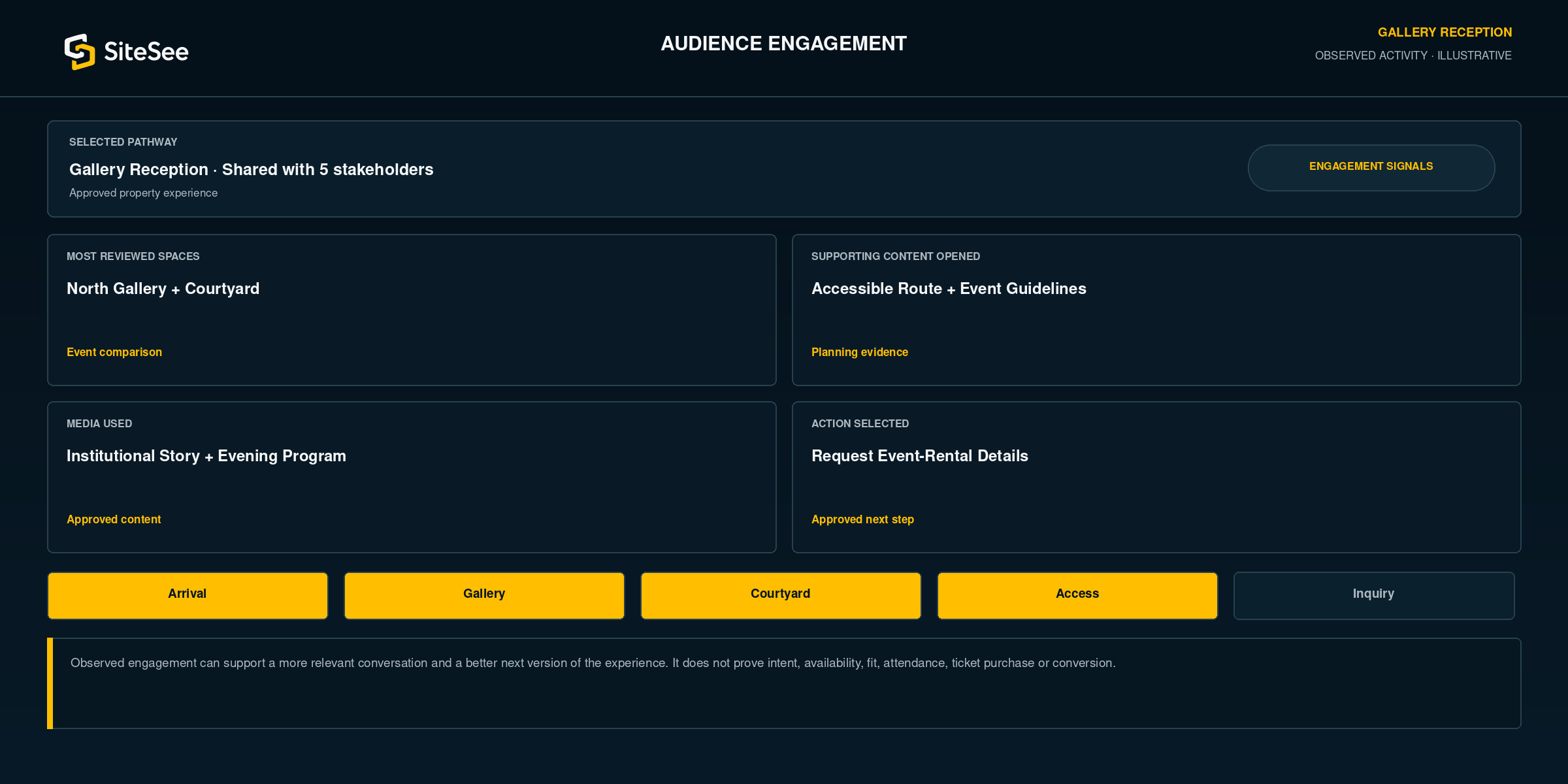
Know what each audience actually reviewed
Use engagement evidence to improve the next conversation and the next version of the experience.
SiteSee can show which spaces, routes, media, documents, pathways and approved actions received attention. Event-sales teams, visitor services, marketing and leadership can use those signals to ask better questions and improve content.
Put the property experience where public and commercial decisions already happen
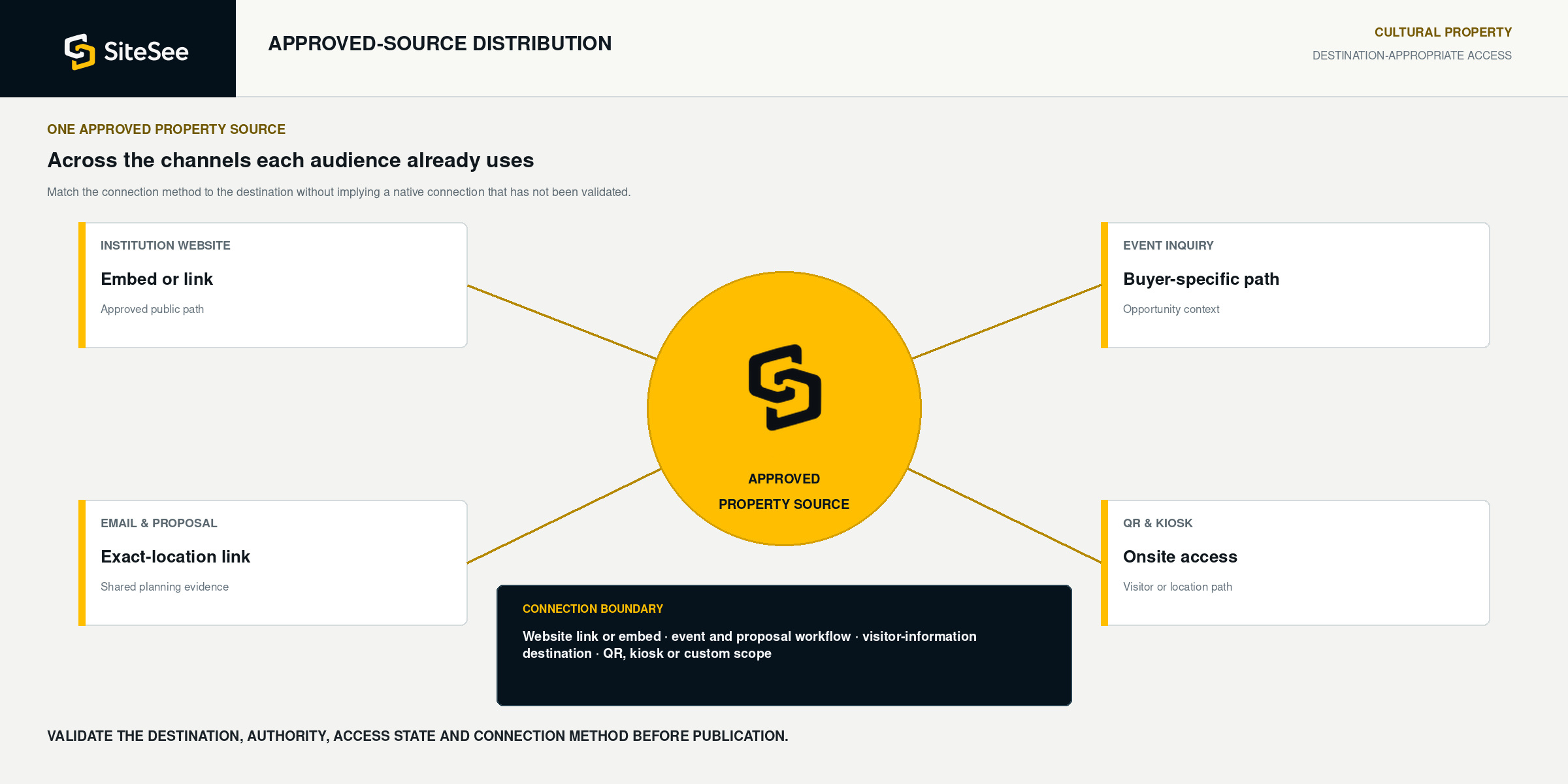
Use one approved source across the channels your audiences already use.
Embed SiteSee on the institutional website, link to a room or route in event follow-up, include the experience in proposals, connect it to approved visitor-information or ticketing destinations, or use QR and kiosk access onsite. The method should match the channel without implying a native connection that has not been validated.
 Approved property experienceOne managed source
A stronger property, sales and orientation reference, not the authoritative institutional record
Use SiteSee to clarify the place and identify what responsible staff or systems must confirm next.
SiteSee can improve property understanding, preliminary event evaluation, visitor orientation and stakeholder alignment. Current schedules, ticketing, interpretation, accessibility, safety, event availability and final commitments remain subject to the institution’s approved people and authoritative systems.
- Architecture, space and property relationships
- Event-space comparison and preliminary planning
- Visitor orientation and approved public routes
- Program, exhibit, media and document context
- Planner, vendor and staff-specific views
- Engagement evidence and contextual actions
- Current hours, tickets, programs and closures
- Approved interpretation, rights and collection information
- Event availability, pricing, capacity and contract terms
- Accessibility, emergency, security and life-safety authority
- Conservation, production and restricted-area requirements
- Final records in ticketing, booking, facilities or operating systems
Show More. Decide Faster.
Begin with the audience that experiences the greatest understanding gap today.
SiteSee can be shaped around the spaces, routes, programs, event uses, approved content, access levels and next actions that matter most to your museum, civic center or cultural property.