
SiteSee for Restaurants & Private Dining // The Property and Flexible-Space Sales Operating System
Buyers are choosing the atmosphere, the fit and the flow—not just a room.
Bring privacy, entrances, seating possibilities, service relationships, adjacent spaces, approved menus, media and inquiry actions into one connected property experience built around the event the buyer is planning.
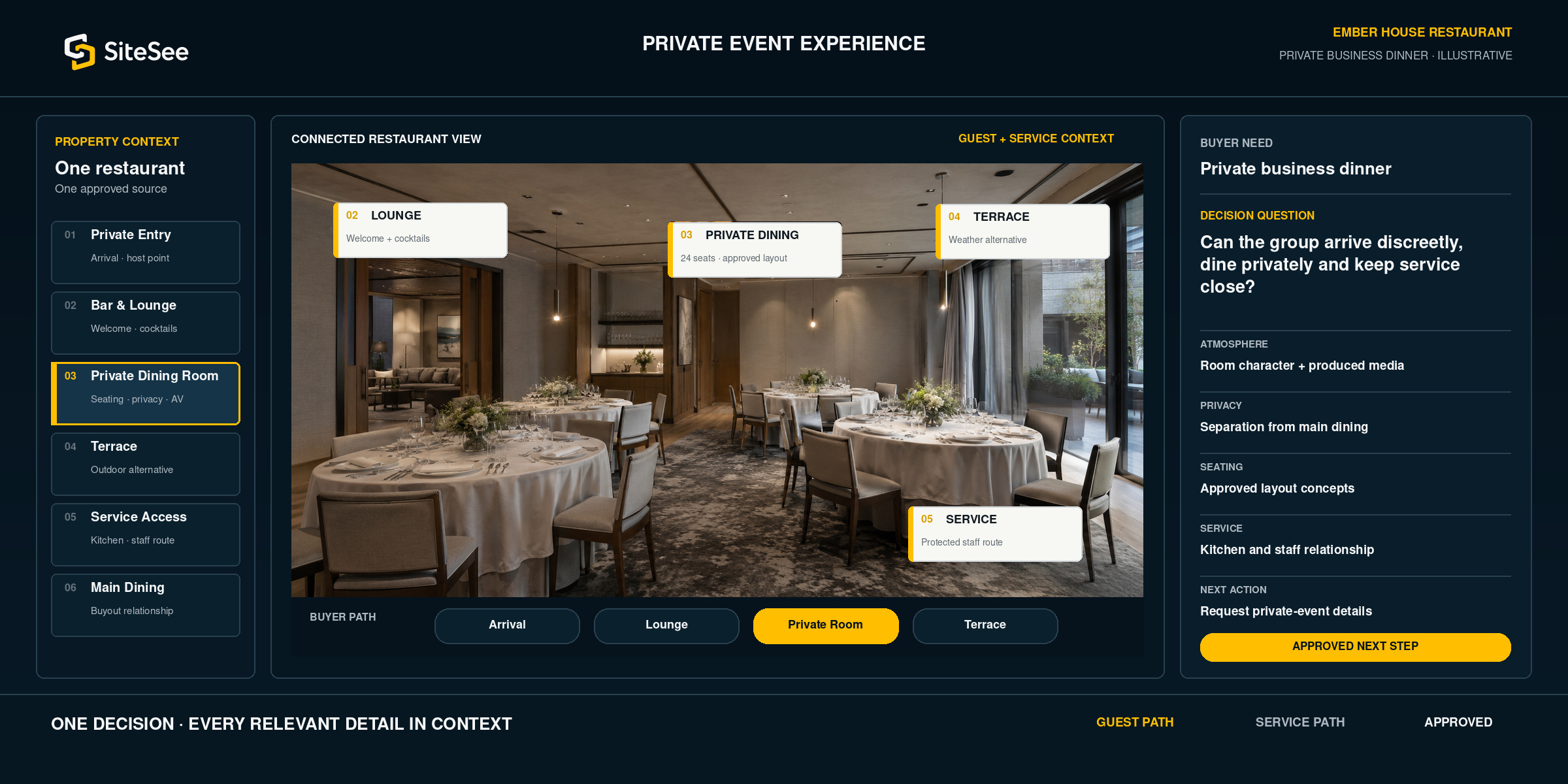
The decision is more than a menu
A beautiful room earns attention. Buyers still need practical confidence before they choose.
Photography may communicate atmosphere. A menu may communicate the culinary offer. A capacity chart may communicate a number. The buyer still needs to understand privacy, entrance, room separation, guest movement, seating flexibility, accessibility, weather alternatives and how service reaches the room.
SiteSee connects those answers to the spaces they explain. The sales team can present the experience once, then let the buyer revisit and share the same approved understanding.
Explore the SiteSee platform →One restaurant. Different private-event decisions.
Guide the buyer through the experience they are actually planning.
The property remains the approved source. The route, supporting evidence and next action can change according to the event type without creating a separate property explanation from the beginning.
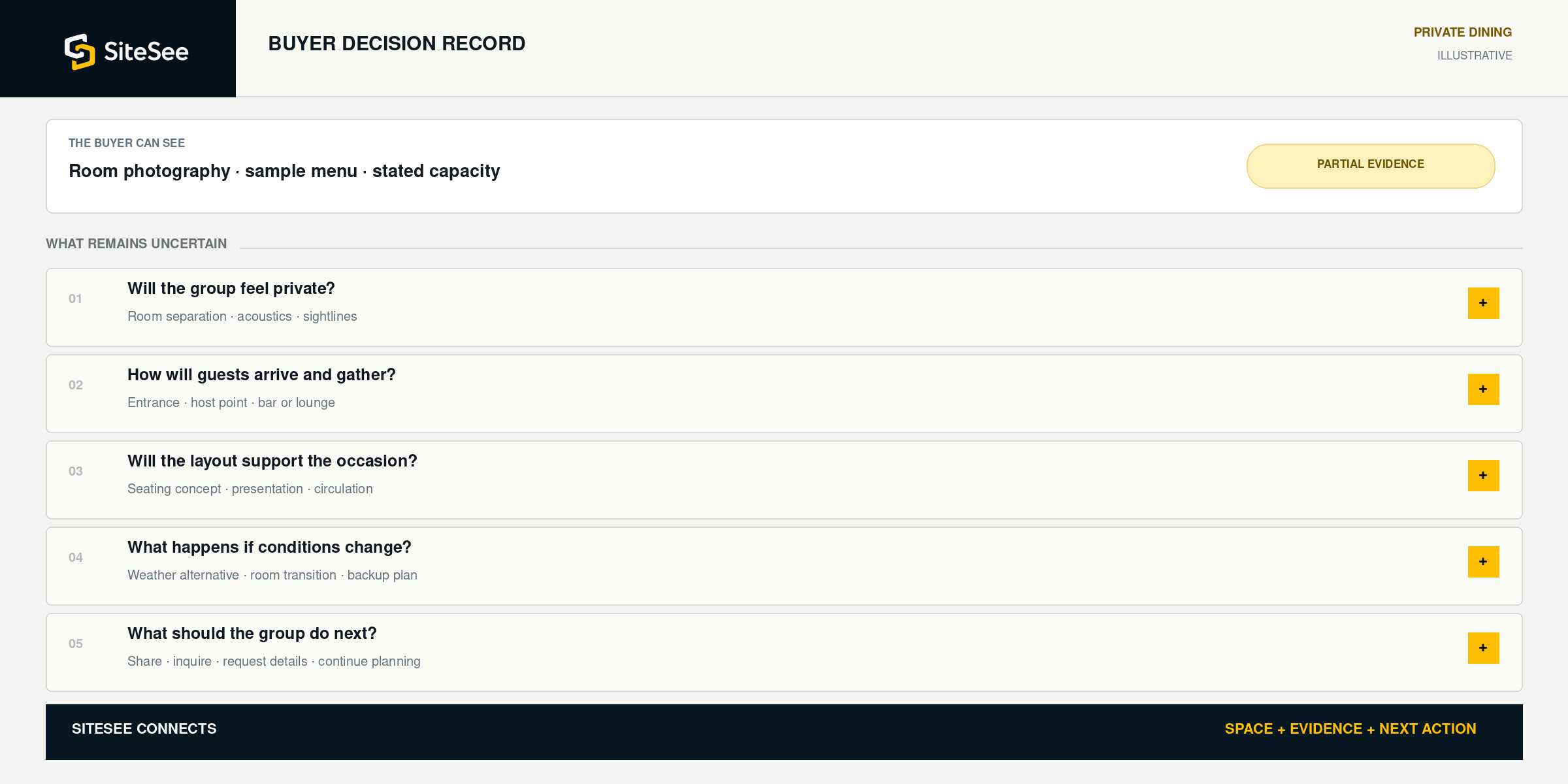
Six connected decision layers
Put the atmosphere and the practical answer in the same experience.
Each layer begins with a question the buyer needs to answer, then connects the relevant SiteSee capability to the place where that question occurs.
Can the buyer feel what makes the setting distinctive?
Use approved property media, produced video, narration and branded presentation to communicate character without losing room context.
Media tags · Brand controls · Guided highlight sequenceHow separate is the room from the wider restaurant?
Show walls, openings, sightlines, adjacent dining areas, shared facilities and approved notes about room use.
Spatial experience · Room relationship mapping · Information tagsWill the approved arrangement support the occasion?
Present floor plans, dimensions, capacity information and alternate concepts for preliminary comparison.
Floor plans · Dimensions · Configuration comparison · Virtual stagingHow will guests enter, gather and move?
Connect parking, public or private entrances, host points, elevators, stairs and accessible routes to the dining experience.
Entrance mapping · Property map · Planner-specific deep linksWhat operational relationships affect the event?
Explain the approved relationship among kitchen, bar, staging, restrooms, terrace, storage and staff routes without exposing protected detail unnecessarily.
Controlled views · Service-route context · Protected informationWhat approved information should move the decision forward?
Attach current menus, policies, audiovisual notes and inquiry destinations to the exact space that created interest.
Document tags · External links · Lead capture · CTA trackingDo not make the buyer guess why one space is the better fit
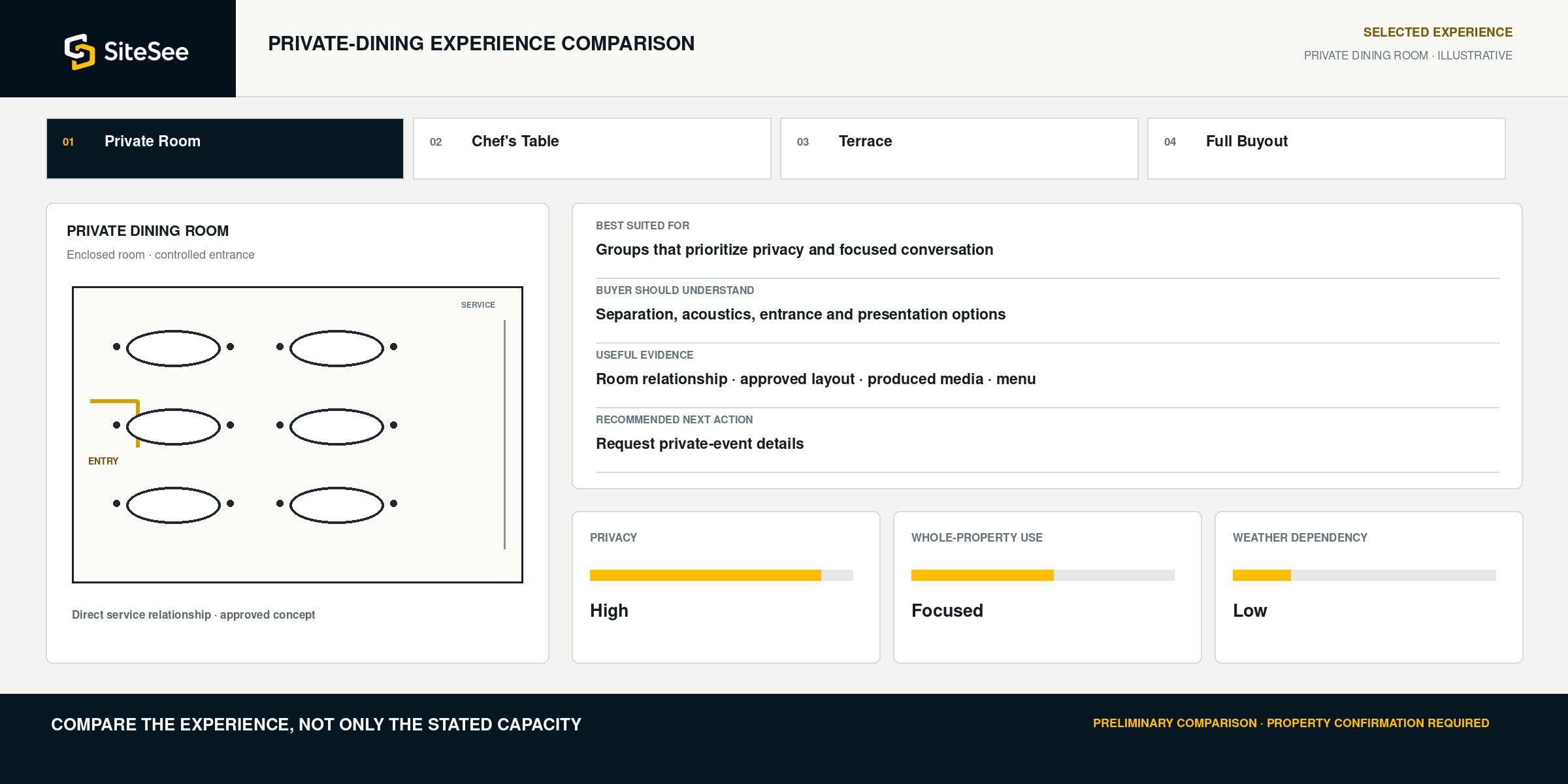
Help buyers compare the experience—not only the stated capacity.
Different spaces may serve similar group sizes while creating very different levels of privacy, atmosphere, flexibility and service access. SiteSee helps the salesperson explain those differences visually and consistently.
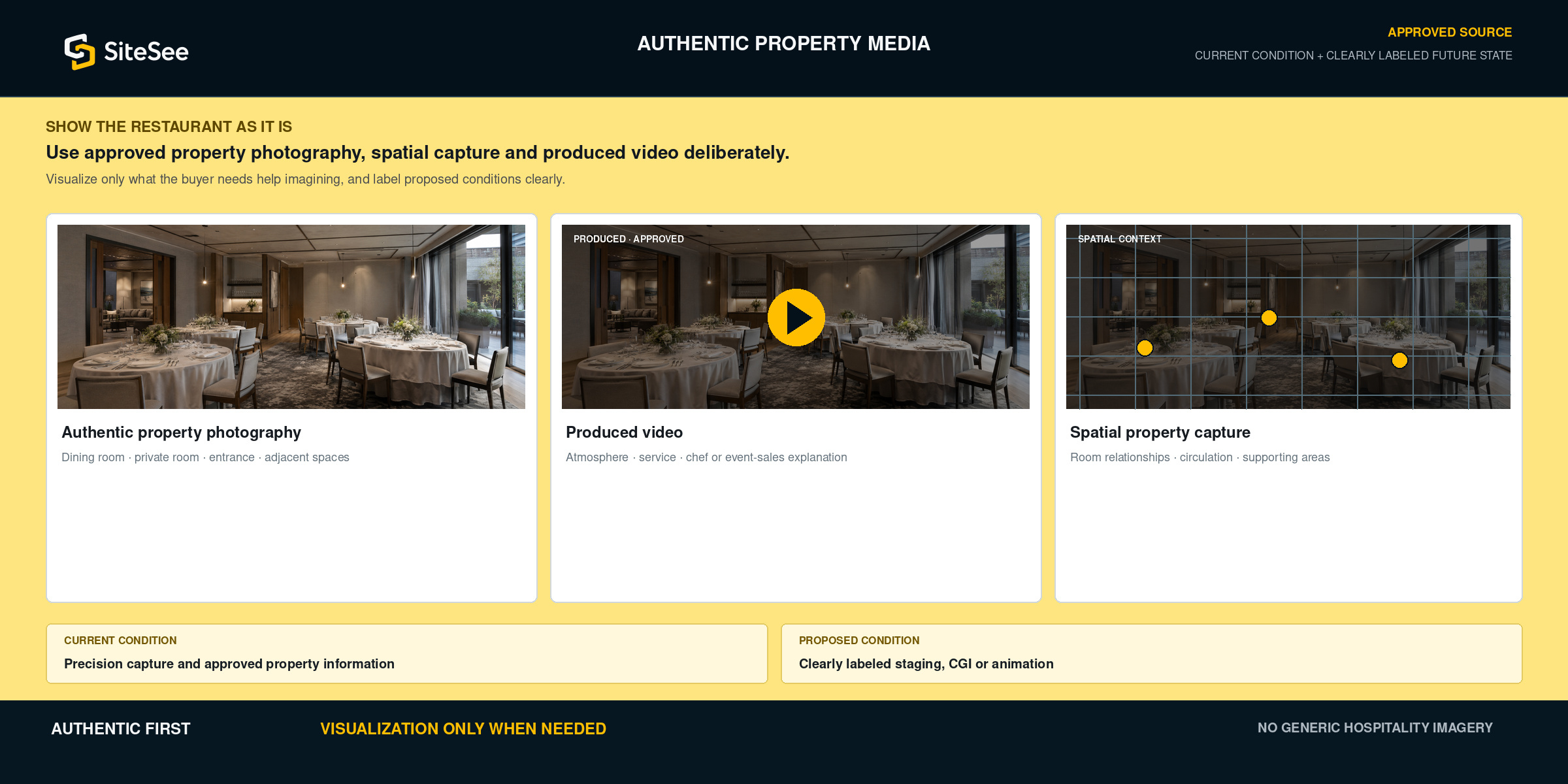
Authentic property media, used deliberately
Show the restaurant as it is. Visualize only what the buyer needs help imagining.
Your published property experience should use approved property photography, spatial capture, produced video and clearly labeled future-state visualization rather than generic hospitality imagery.
From first interest to an informed handoff
Keep the property context intact as the conversation advances.
The buyer should not lose the room understanding when the opportunity moves from website discovery to sales follow-up, planning, culinary discussion or operational confirmation.
Explore Collaboration & Live Meetings →Open from the website, listing, email or direct link.
The experience begins with the restaurant, audience and approved reason to engage.
Review the room, atmosphere, layout and supporting spaces.
The buyer sees why each option creates a different event experience.
Give every decision-maker the same approved reference.
Colleagues, hosts, family or clients can review without relying on a verbal summary.
Discuss the exact space or question that remains open.
Deep links, notes, documents and live review keep the answer attached to the location.
Connect interest to the property’s approved next step.
Private-event forms, contact destinations or supported workflows remain under property control.
Carry the shared property understanding into detailed planning.
Final commitments move into the responsible reservation, event, culinary and operating systems.
One dining-property foundation. Different responsibilities.
Support the people who attract, sell, plan and deliver the event.
Show the difference between spaces without repeating the same orientation.
Prepare buyer-specific pathways, compare rooms, share exact locations and connect the experience to an inquiry.
Explore sales workflows →Turn atmosphere and property content into a managed commercial asset.
Use approved branding, authentic media, website embeds, campaign links and engagement evidence.
Explore distribution →Keep menus, layouts, service notes and buyer questions connected to the room.
Use approved documents, spatial notes and shared review without treating SiteSee as the authoritative reservation or banquet system.
Explore planning tools →Control access, presentation and repeatable standards across one or many locations.
Separate public, planner and protected information while reviewing adoption, publishing and buyer engagement.
Explore governance →Built for dining properties where the setting influences the decision
Start with the private-event use that matters most.
The experience can begin with one commercially important room, one buyout pathway or one recurring buyer need, then expand when the additional content and workflows create useful value.
See how implementation works →Know what the buying group actually reviewed
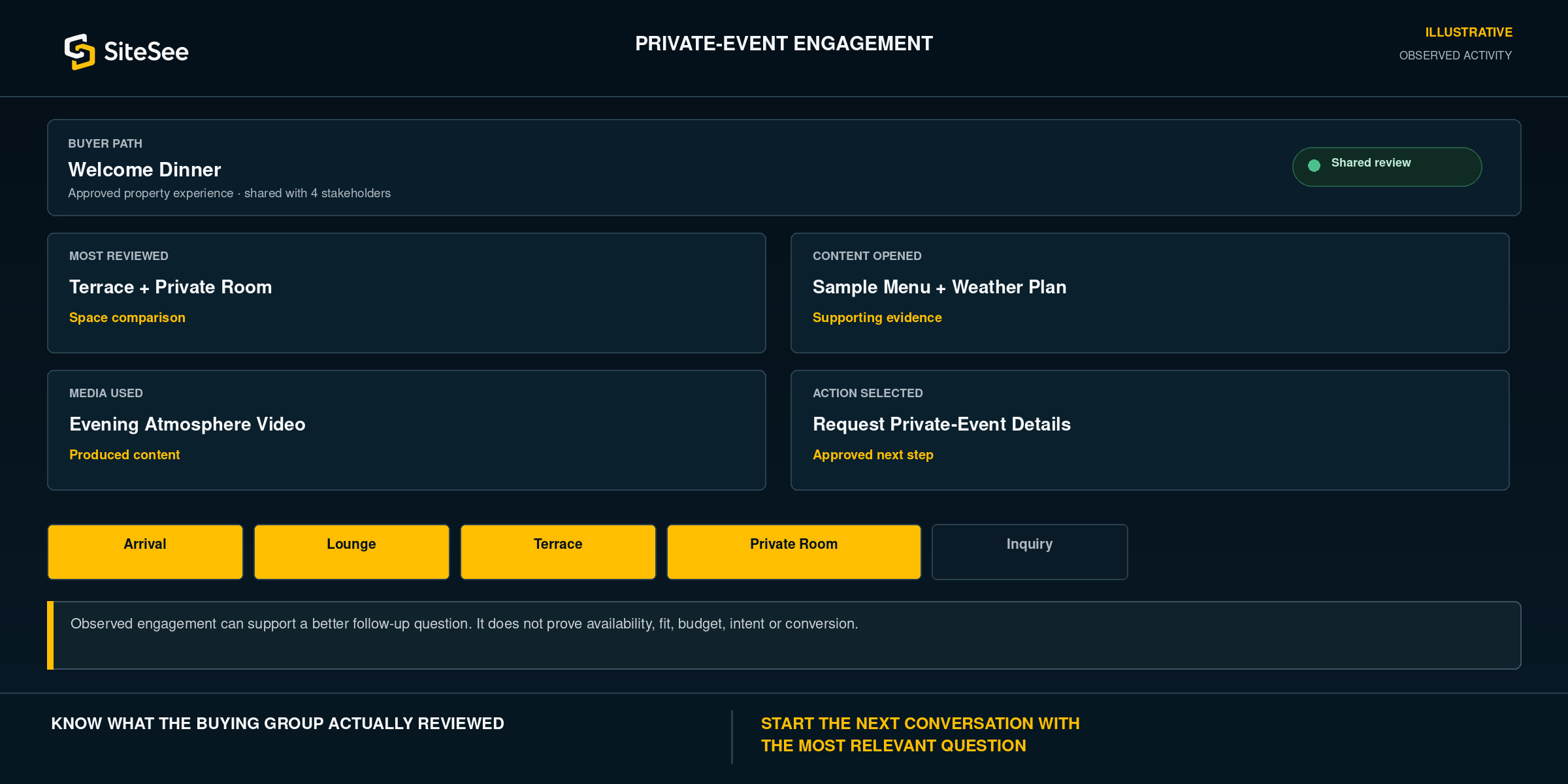
Use engagement evidence to make the next conversation more relevant.
SiteSee can show which rooms, media, documents, pathways and approved actions received attention. The sales team can use those signals to ask better questions instead of restarting with a generic presentation.
 Approved restaurant experienceOne managed source
Put the experience where private-event decisions already happen
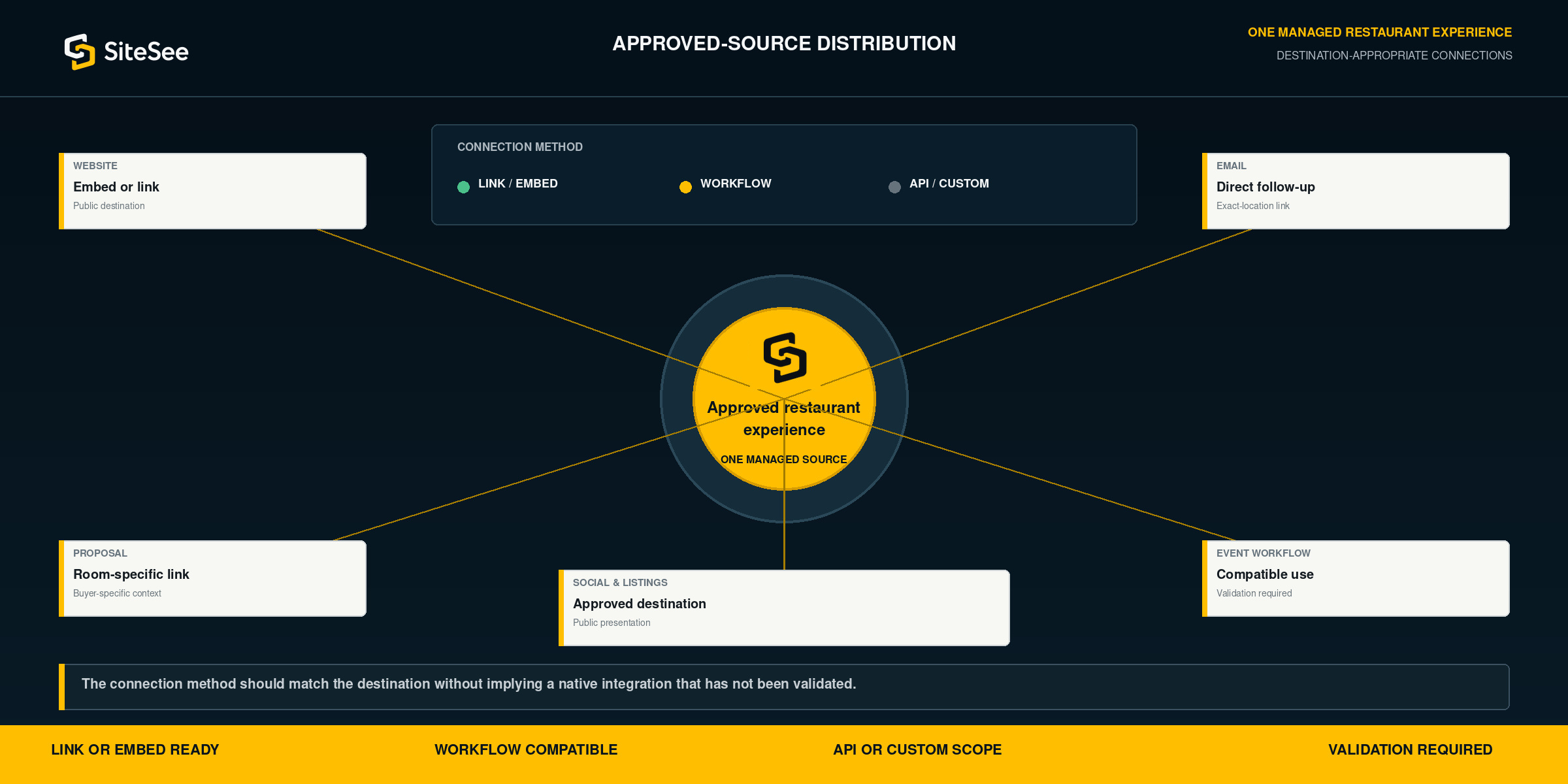
Use one approved property source across the channels your team already uses.
Embed SiteSee on the restaurant website, send an exact-location link in email, include it in a proposal or use it within an approved event-sales workflow. The connection method should match the destination without implying a native integration that has not been validated.
A stronger sales and preliminary-planning reference, not the authoritative operating record
Use SiteSee to clarify the decision and identify what the property must confirm next.
SiteSee can improve property understanding, room comparison and stakeholder alignment. Current availability, pricing, menus, policies and final commitments remain subject to the restaurant’s responsible people and systems.
- Atmosphere and room understanding
- Privacy, entrance and relationship comparison
- Preliminary layouts and spatial evidence
- Approved menus, media, documents and links
- Shared review and buyer-specific pathways
- Engagement evidence and contextual inquiry
- Current availability, pricing and minimum spend
- Final capacity and approved seating plan
- Menus, substitutions, allergens and dietary requirements
- Accessibility, service, security and operating policies
- Contracts, deposits, cancellation terms and payment
- Final event details in the authoritative reservation or event system
Show More. Decide Faster.
Begin with the private-event question that creates the most hesitation today.
SiteSee can be shaped around the rooms, atmosphere, buyer pathways, supporting content and approved next actions that matter most to your restaurant or dining portfolio.