Get clear answers about the property and flexible-space Sales OS.
Find direct, plain-language answers about what SiteSee is, what it does, who it serves and how it is used.
01What is SiteSee?Select for answer01A property and flexible-space sales operating system that helps buyers understand places and helps teams guide decisions.Full answer below
02Who is SiteSee built for?Select for answer02Hotels, resorts, venues, restaurants, campuses, senior living, cultural properties and portfolio organizations.Full answer below
03What problem does SiteSee solve?Select for answer03It connects spaces, media, plans and evidence so buyers are not left to assemble the property story alone.Full answer below
04Does it replace an in-person visit?Select for answer04No. It makes earlier review more useful so an onsite visit can focus on validation and higher-value decisions.Full answer below
05How does SiteSee work?Select for answer05We diagnose the decision, document the property, build the experience and help improve it over time.Full answer below
06What is an interactive property experience?Select for answer06A branded presentation connecting spaces, plans, media, documents, pathways and next actions.Full answer below
07Does SiteSee use photogrammetry and LiDAR?Select for answer07Yes, when appropriate. We recommend the capture method that fits the property and intended use.Full answer below
08Can SiteSee produce photography and video?Select for answer08Yes. We help determine which visual assets will make the property decision easier to understand.Full answer below
09Can SiteSee show future spaces?Select for answer09Yes. Approved materials can support clearly labeled CGI, animation, staging and future-state visualization.Full answer below
10What does AI-assisted design do?Select for answer10It helps create alternate visual presentations while keeping approvals and proposed-condition labeling clear.Full answer below
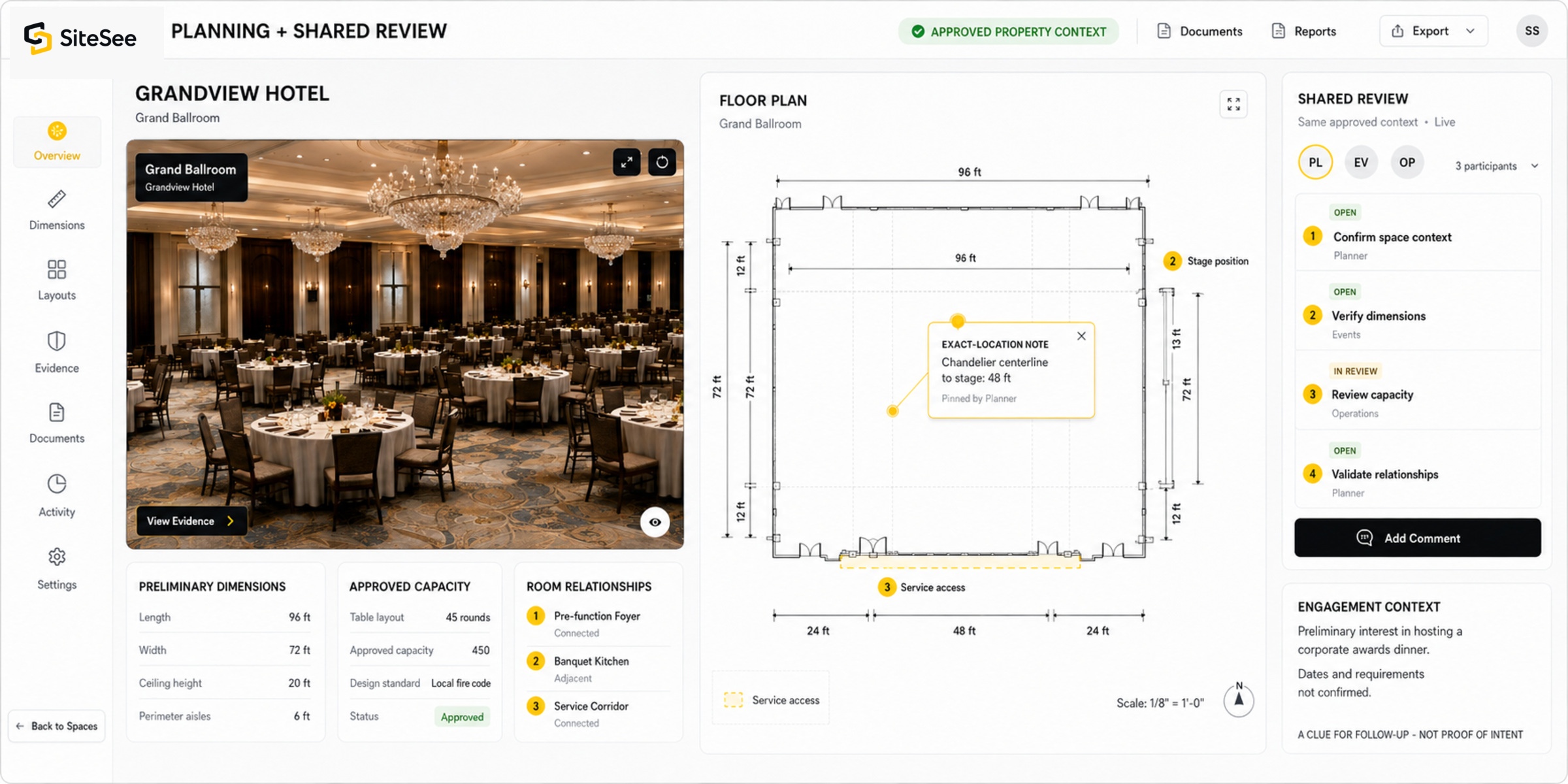
11Can planners review plans and measurements?Select for answer11Yes. SiteSee connects plans, preliminary measurements, capacities and configurations to the spaces they explain.Full answer below
12Can teams meet inside SiteSee?Select for answer12Yes. SiteSee can support guided meetings, shared review, spatial notes and controlled collaboration.Full answer below
13What can analytics show?Select for answer13Reach, tracked feature clicks, aggregate attention, guided progression and approved next actions—within documented limits.Full answer below
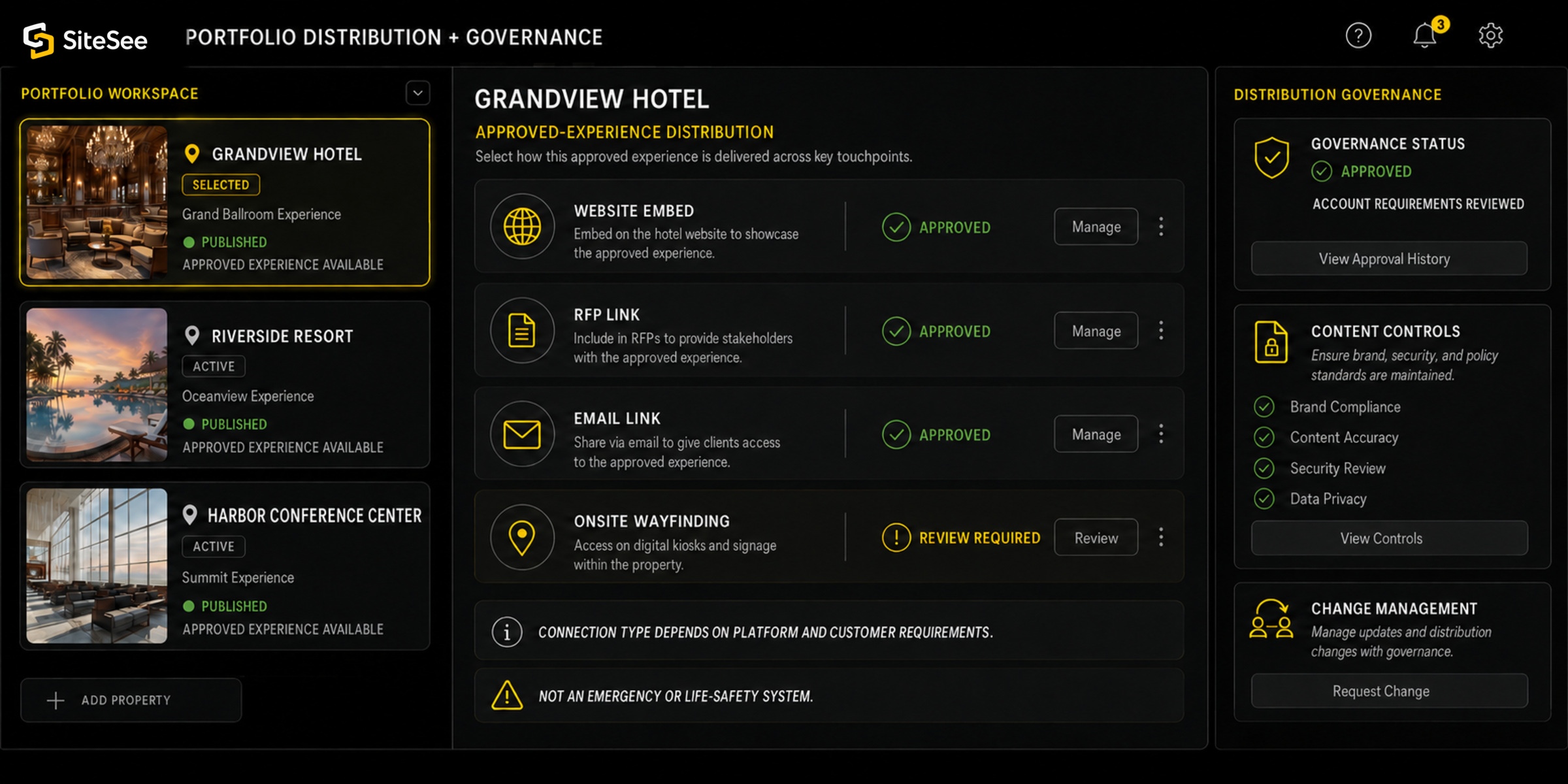
14Can SiteSee support portfolios?Select for answer14Yes. We help balance brand standards, permissions, governance and property-level individuality.Full answer below
15Can SiteSee support onsite navigation?Select for answer15Where appropriate, it can support pre-arrival routing, wayfinding, kiosks and protected guidance.Full answer below
16Can SiteSee be shared or embedded?Select for answer16Yes. We help select and configure the right links, embeds and approved distribution channels.Full answer below
17How is SiteSee different from Matterport?Select for answer17Matterport centers on digital-twin capture; SiteSee centers the property-selling and planning workflow.Full answer below
18How can I review pricing?Select for answer18Request access and SiteSee will review your organization before providing a private pricing link.Full answer below
19What is included in a pricing scope?Select for answer19Platform access, capture and any specialized production, integration or enterprise requirements.Full answer below
20How do we begin?Select for answer20Tell us about the property and decision. SiteSee will diagnose the gap and recommend a practical starting scope.Full answer below
21Where can I see SiteSee work?Select for answer21The Work page presents selected visual production and buyer-facing property experiences.Full answer below
22Can I share event space using 360-degree photography?Select for answer22Yes. SiteSee can organize 360-degree imagery into a guided, branded experience with plans, media and actions.Full answer below
23How do I choose a versatile virtual-tour provider?Select for answer23Compare capture quality, branding, interaction, analytics, updating, distribution and guidance after launch.Full answer below
24Can SiteSee clarify a difficult property layout?Select for answer24Yes. We connect plans, spaces, routes and evidence so prospects can understand the complete relationship.Full answer below
25How much does a professional virtual tour cost?Select for answer25Cost depends on size, capture, production and features. SiteSee helps define scope before presenting pricing.Full answer below
26Can I embed the experience on my website?Select for answer26Usually, yes. SiteSee helps confirm the correct embed method for your website and technical environment.Full answer below
27What capture equipment does SiteSee use?Select for answer27The method may include precision cameras, photogrammetry, LiDAR and aerial capture, selected for the assignment.Full answer below
28How long does delivery take?Select for answer28Timing depends on scope and approvals. SiteSee defines the schedule and guides you through each milestone.Full answer below
29Do virtual tours improve local SEO?Select for answer29No ranking increase can be guaranteed. A well-integrated experience may support a broader SEO program.Full answer below
30Is SiteSee mobile and tablet friendly?Select for answer30Yes. Experiences are designed for modern web access and validated for the selected content and integrations.Full answer below
31Can the experience be updated?Select for answer31Yes. SiteSee helps identify which photography, media, data or spatial content should be refreshed.Full answer below
32Which industries benefit most?Select for answer32Industries where understanding the physical property materially affects buying, planning, visiting or approval.Full answer below
33Can SiteSee add hotspots and information tags?Select for answer33Yes. We place interactive information where it supports the buyer’s question without creating clutter.Full answer below
34What is the potential ROI?Select for answer34ROI depends on workflow, adoption and business value. SiteSee helps define measurable objectives before launch.Full answer below
35Why not use Matterport alone?Select for answer35The answer depends on whether you need capture alone or a broader guided sales, planning and governance system.Full answer below
36Which is better: 360s or another format?Select for answer36The best format depends on the decision. We help choose among 360 imagery, spatial capture, video, plans and CGI.Full answer below
37Can SiteSee connect booking links, OTAs or Google Street View?Select for answer37SiteSee can support approved distribution and actions where the external platform and implementation permit them.Full answer below
38Can the experience be white-labeled or multilingual?Select for answer38Branding and language options depend on scope; SiteSee helps define and validate the requirement.Full answer below
39Can SiteSee include drone and aerial imagery?Select for answer39Yes, when useful and permitted. We determine whether aerial context supports the buyer’s decision.Full answer below
Direct answer 01
What is SiteSee?
SiteSee is the property and flexible-space sales operating system. It gives your buyers, planners and property teams one branded environment for understanding physical spaces, reviewing planning information, sharing approved evidence, collaborating and taking the next commercial action. SiteSee helps your team determine which content, analytics, permissions, integration and governance capabilities are appropriate instead of asking you to assemble the system alone.
Direct answer 02
Who is SiteSee built for?
SiteSee is built for hotels, resorts, event venues, restaurants, universities, senior-living communities, cultural properties, management companies, brands, ownership groups and places where the physical environment influences the decision. SiteSee works with each customer to shape the experience around the industry, property and buying process.
Direct answer 03
What problem does SiteSee solve?
SiteSee helps you close the property-understanding gap created when photographs, floor plans, videos, documents, links and verbal explanations are separated. We connect those materials to the spaces and decisions they explain so your prospects do not have to reconstruct the property on their own.
Direct answer 04
Does SiteSee replace an in-person property visit?
No. SiteSee helps a buyer understand and qualify the property earlier so a physical visit can confirm suitability, resolve remaining questions and focus on higher-value decisions instead of basic orientation.
Direct answer 05
How does SiteSee work?
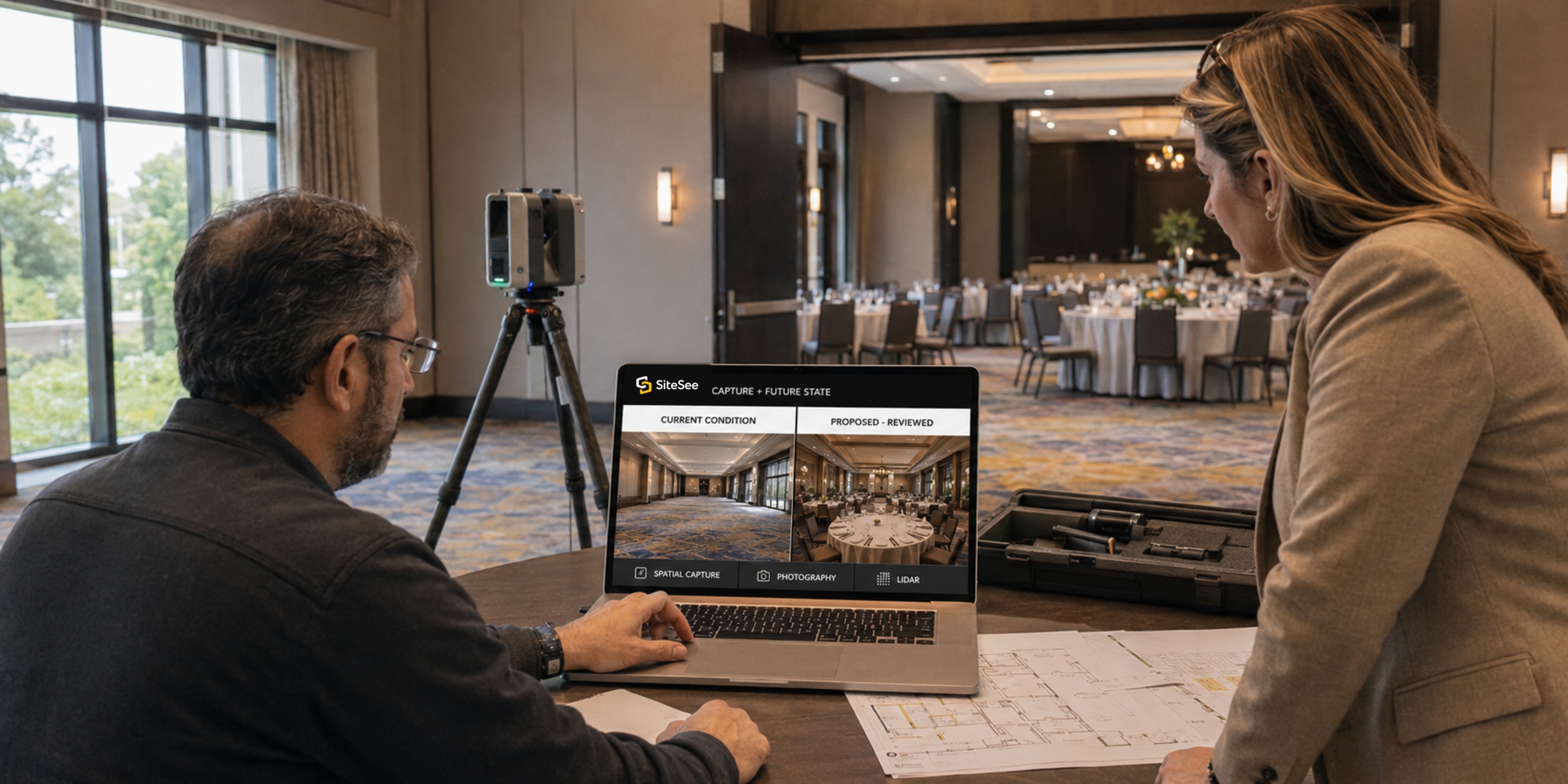
SiteSee begins by helping you clarify the customer decision. We then document the property in spatial context, produce any required photography, video, CGI or future-state visualization, connect approved assets to the relevant spaces, publish the experience and help you improve it over time using customer feedback and documented engagement evidence.
Yes. SiteSee can use immersive photogrammetry, precision spatial capture and LiDAR-based methods. We recommend the method according to your property, required quality and intended commercial use. Capture is the foundation; the value comes from how the resulting spatial environment supports your selling, planning and decision-making.
AI-assisted design helps your team create alternate visual presentations and more relevant buyer pathways. SiteSee helps guide its use, while property approval, professional design authority and clear labeling remain with the appropriate people.
SiteSee analytics can show reach, aggregate spatial attention, tracked feature clicks, guided-pathway progression and approved next actions. SiteSee helps your team interpret those signals as prompts for better follow-up; they are not proof of buyer intent, fit, availability or conversion.
SiteSee can be linked, embedded or incorporated into approved websites, proposals, RFP responses, email, event workflows, listings, social channels and custom enterprise environments. SiteSee helps you identify and validate the right connection for each external platform and customer requirement.
Current SiteSee pricing is available by request. Submit your business information on the Pricing Access page; the SiteSee sales team reviews the person and organization, and approved requesters receive a private, time-limited link. If you are unsure what applies, SiteSee will help you understand the scope before you make a decision.
Direct answer 19
What is included in a SiteSee pricing scope?
SiteSee works with you to separate annual operating-system access, one-time property capture and any specialized production, integration or enterprise requirements. The approved proposal then confirms the square footage, capabilities, services and account-specific terms included for your property or portfolio.
Direct answer 20
How do we begin?
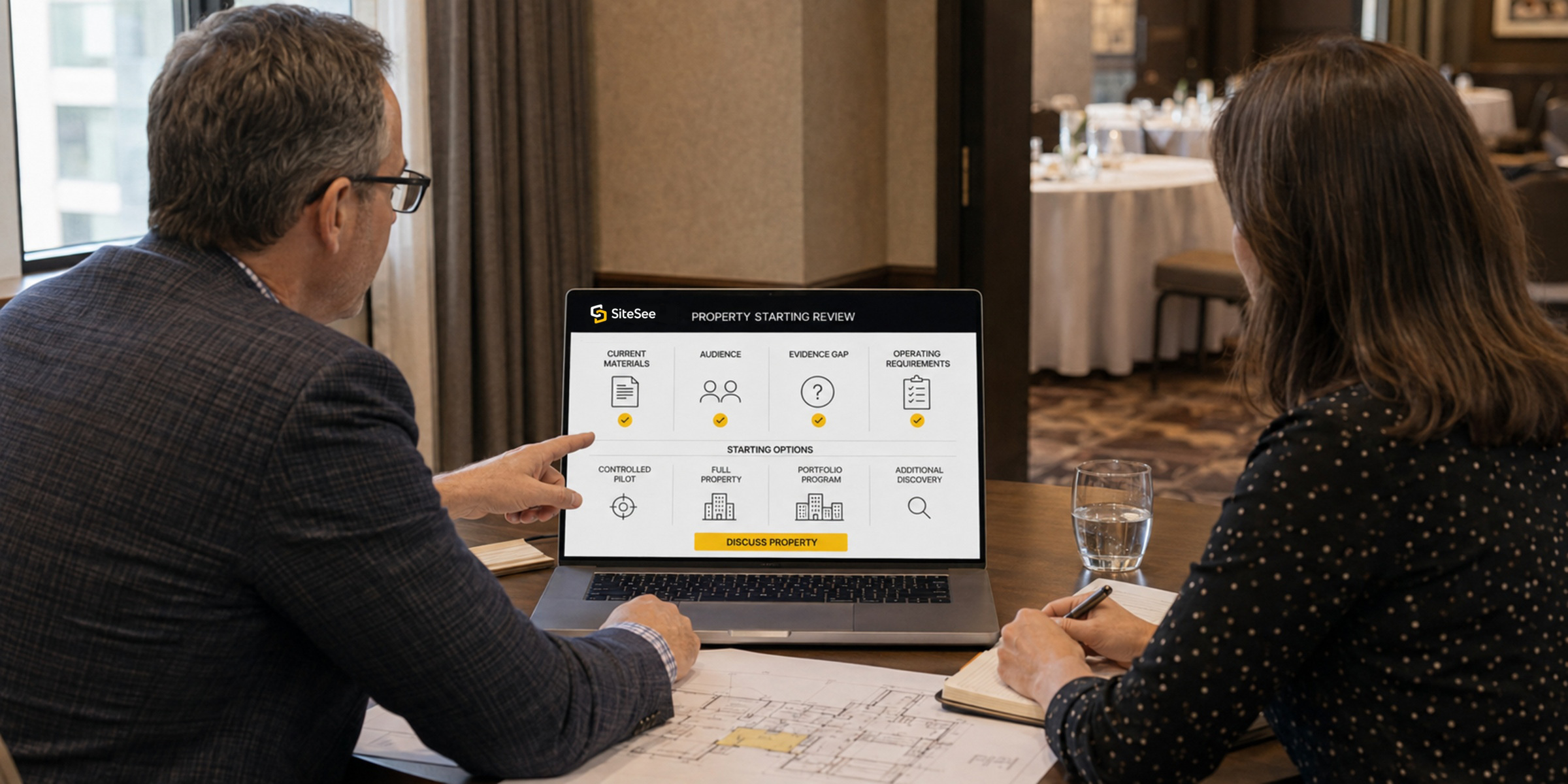
Begin by telling us about the property and the decision your buyers or teams need to make. You do not need to diagnose the problem, select the technology or prepare a technical brief alone. SiteSee reviews your current materials, audience, evidence gap and operating requirements with you, then recommends a controlled pilot, full-property deployment, portfolio program or additional discovery.
Direct answer 21
Where can I see SiteSee work and buyer-facing property experiences?
How should I choose a versatile virtual-tour provider?
Look beyond capture alone. Compare visual quality, property branding, mobile performance, interactive content, analytics, permissions, updating, embedding and distribution, as well as whether the provider will guide you after launch. SiteSee begins with your sales or planning problem and helps you evaluate the right combination for your property.
Direct answer 24
I am having difficulty helping prospects understand my property layout. What can SiteSee do?
A 360-degree commercial photography price—including hotel-room or venue photography—varies with property size, capture method, travel, image and video production, CGI, integrations, interactive capabilities and ongoing service. SiteSee first helps you define what the experience must accomplish, then separates platform access, capture and specialized services so you can evaluate a relevant scope rather than a generic price. Request current SiteSee pricing access →
Direct answer 26
Can I embed the SiteSee experience on my own website?
In most cases, yes. SiteSee supports website embedding, custom HTML5 presentation and link-based distribution, subject to the website, content-security settings and external platform requirements. SiteSee helps your team select the correct method and provides the implementation guidance needed for launch.
Direct answer 27
What equipment does SiteSee use to document a property?
The capture plan may use professional panoramic or architectural cameras, photogrammetry, precision LiDAR-based systems, video equipment and permitted aerial systems. SiteSee does not force every property into one method; we recommend the capture approach that fits the space, accuracy requirement, visual standard and commercial purpose.
Direct answer 28
How long does it take to receive the finished experience?
Timing depends on property size, access, capture complexity, required production, customer approvals and integrations. SiteSee establishes the schedule during scoping, coordinates the work and guides you through capture, content review, configuration, quality control and launch. You are not expected to manage the process alone.
Direct answer 29
Do virtual tours improve local SEO and search rankings?
No responsible provider should guarantee a ranking increase from an experience alone. A well-integrated property experience can support useful content, engagement and conversion within a broader SEO program, while Google Business Profile or Street View visibility depends on Google’s current requirements and the selected publishing method. SiteSee helps you define the distribution role without presenting SEO assumptions as guaranteed outcomes.
Direct answer 30
Are SiteSee experiences mobile and tablet friendly?
Yes. SiteSee experiences are designed for modern desktop, tablet and mobile web access. SiteSee also helps review the selected media, controls, embeds and external integrations so the finished experience remains practical for your audience across the devices they are likely to use.
Direct answer 31
Can the experience be updated if my property changes?
What industries benefit most from an interactive property experience?
SiteSee is most useful where understanding a physical environment influences buying, planning, visiting or approval. That includes full-service and boutique hotels, resorts, wedding and event venues, restaurants and private dining, convention facilities, universities, senior-living communities, museums and civic properties, as well as management companies, brands and ownership groups. SiteSee helps adapt the experience to the decision pattern of each industry.
Direct answer 33
Can SiteSee add interactive hotspots and information tags?
What is the return on investment for an interactive property experience?
ROI depends on the business problem, property value, sales volume, adoption, distribution and the outcomes being measured. SiteSee does not assume one universal result. We help you establish the objective, baseline, relevant engagement evidence and commercial measures before launch so performance can be evaluated responsibly and any future hotel or venue ROI case study rests on documented results.
Direct answer 35
Why would I choose SiteSee instead of using Matterport alone?
Which is best for my property: 360-degree photography or another format?
There is no single best format for every property. 360-degree photography may efficiently show spatial context; precision spatial capture may better support navigation and measurements; video can guide attention; photography can establish quality; and CGI can show a future condition. SiteSee helps you select and combine the right media and spatial formats for the decision.
Direct answer 37
Can SiteSee connect booking links, OTAs, Google Street View or other distribution channels?
Can a SiteSee experience be white-labeled or multilingual?
Brand controls, customer-specific presentation and multilingual content can be included when supported by the approved scope and configuration. SiteSee helps define the required branding, permissions, language content and governance so the result remains consistent across properties and audiences.
Direct answer 39
Can SiteSee include drone and aerial imagery?
Yes, when aerial context adds decision value and the work can be completed lawfully and safely. SiteSee can help determine whether drone photography, aerial video or 360-degree panorama context will clarify access, campus relationships, surroundings or property scale, then incorporate the approved material into the experience.
Last reviewed: August 12, 2026. SiteSee updates this page when platform scope, pricing, availability or public product claims change.