The Property and Flexible-Space Sales Operating System

When buyers have to assemble the property story, the sale slows down.

SiteSee gives buyers one connected place to understand your property, test fit, align stakeholders and take the next step. Your team keeps the property, the evidence and the buyer’s activity together—without rebuilding the same explanation for every conversation.

See how SiteSee carries the property from capture through decision and continuous improvement.
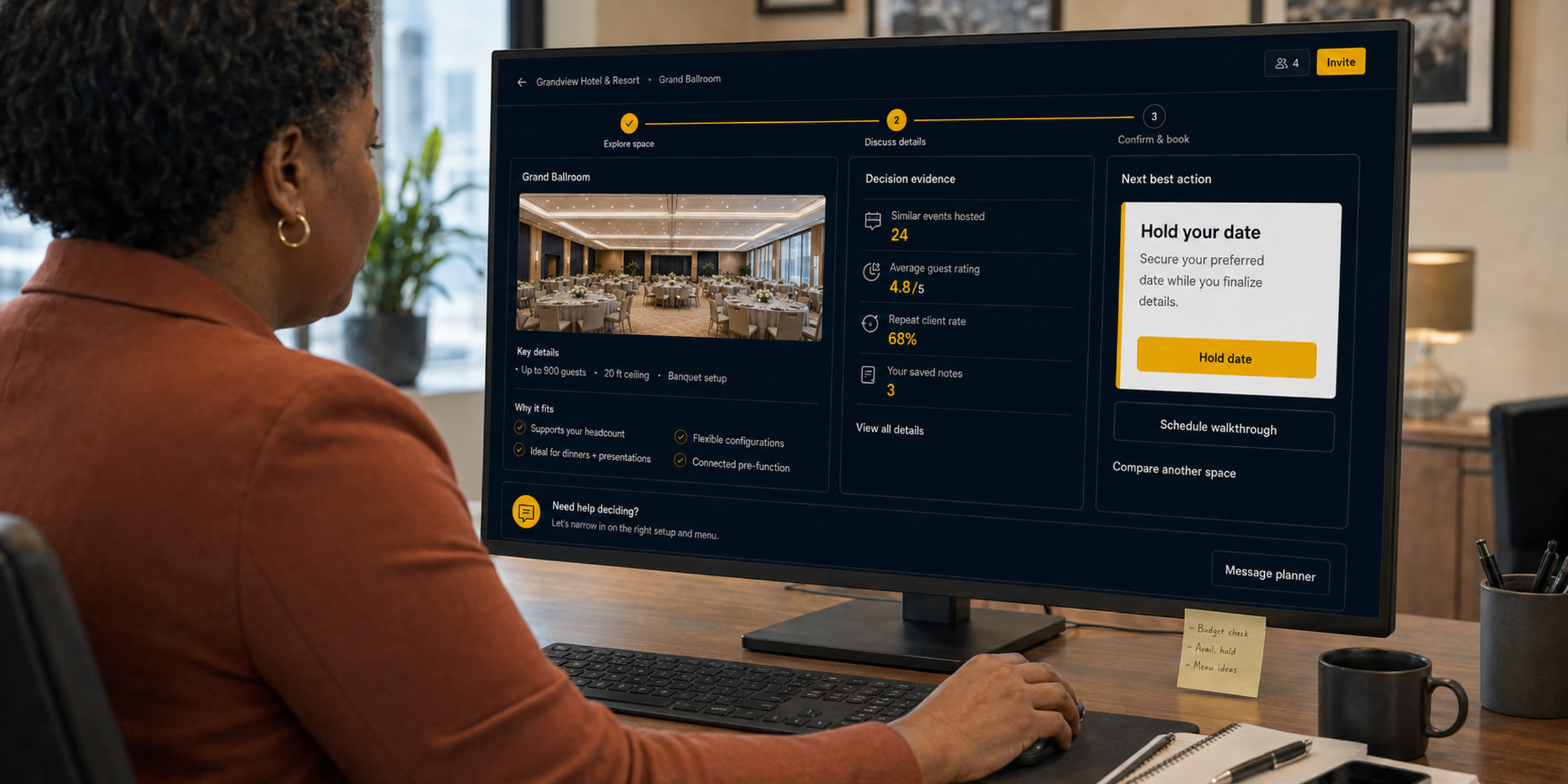
SiteSee hero Over Shoulder
Explore the propertyReview planning detailsShare and measure engagement
What SiteSee isThe property and flexible-space sales operating system.
What it doesConnects how a property is captured, organized, presented, shared, evaluated, measured and improved.
Who it servesHotels, resorts, event venues, restaurants, universities, senior-living communities, cultural properties and the teams that sell and manage them.
Why it mattersBuyers understand more. Teams work from one property source. Leadership sees what earns attention.
How the operating system works

Your property story should stay connected from first interest through the final decision.

Begin with what buyers need to understand. Connect the right spaces and evidence, place the experience where buying already happens, and improve it as your team learns what moves decisions forward.

01

Define the decision.

Identify the property, audience, commercial objective, spaces, questions and next actions the experience must support.

Strategy & experience architecture
02

Capture the property.

Document the physical environment through immersive photogrammetry, proprietary LiDAR, architectural photography, aerial context and approved property data.

Spatial capture & property documentation
03

Create what is not yet visible.

Use video, CGI, animation and clearly labeled 2D or 360-degree staging to present proposed configurations, renovations and future conditions.

Video, CGI, animation & AI staging
04

Connect every asset.

Organize spaces, plans, measurements, media, documents, configurations, routes, amenities, actions and tagged information inside the property context.

Asset tagging & operating-system configuration
05

Review and approve.

Confirm property facts, branding, navigation, permissions, buyer pathways, calls to action and measurement logic before publication.

Property-controlled review & governance
06

Publish where decisions happen.

Use the approved experience through websites, proposals, RFP responses, email, presentations, direct links and supported integrations.

Distribution & connected workflows
07

Measure, update and optimize.

Review engagement, improve pathways, refresh content, add new uses and expand from one property to a governed portfolio over time.

Analytics & ongoing optimization

Buyers move faster when the property is easier to understand.

Industry benchmarks shown for category context. Results vary by property, audience and deployment.

70%+

of planners say visuals influence the venue shortlist.

2.5×

more engagement with interactive experiences than static content.

60%

faster decision cycles when useful information appears earlier.

Higher-quality

conversations with better-informed buyers.

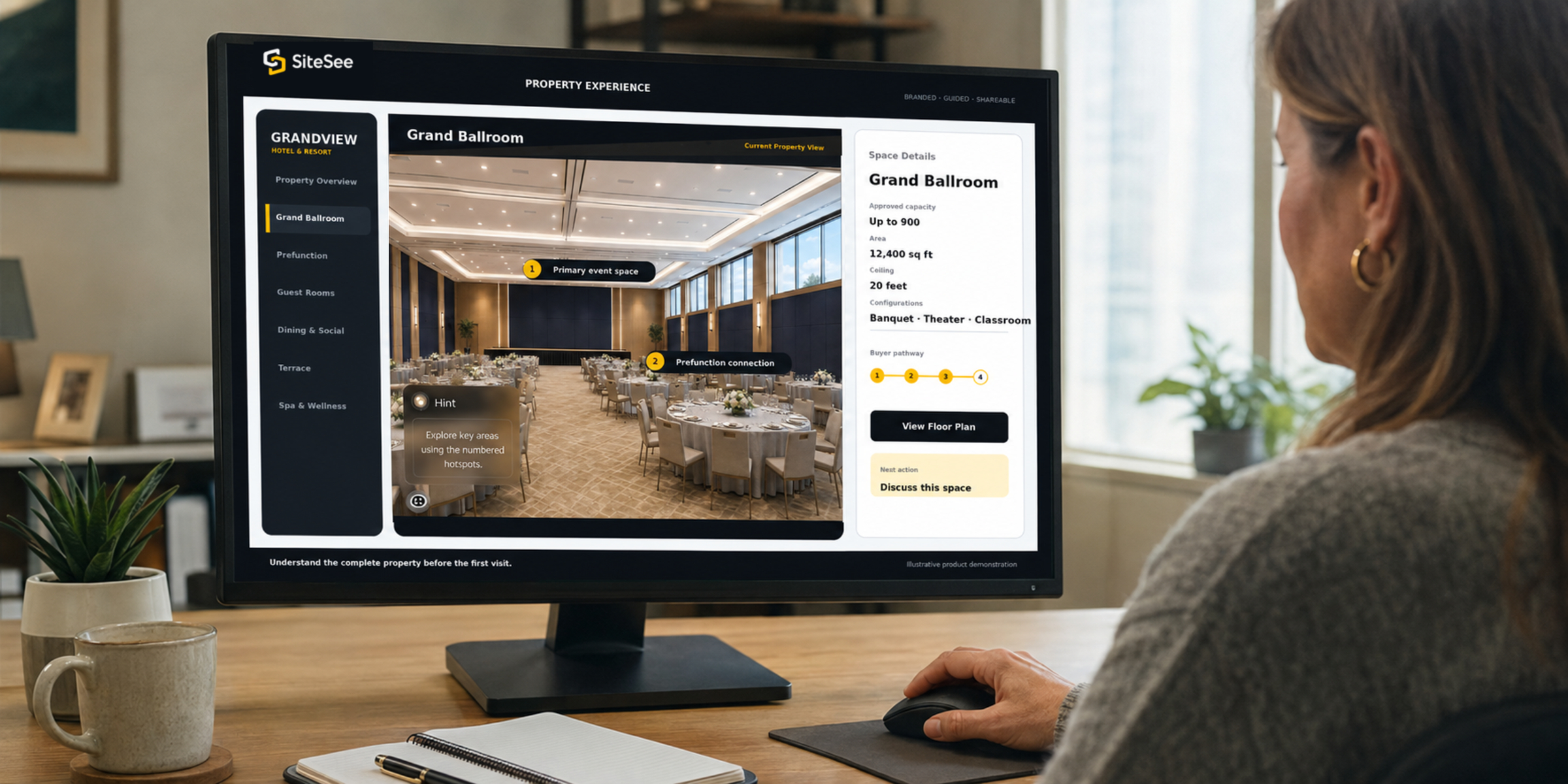
SiteSee buyer Property Experience Over Shoulder
Buyer-facing SiteSee property experience
Sell the place before the visit · Interactive property experience

Give buyers enough clarity to decide whether the property belongs on the shortlist.

Give planners and decision-makers a branded experience where they can move through relevant spaces, see how areas connect, review room-level information and share the same property understanding with others.

Guided menus and highlight reelsRoom-level photography and videoFloor plans, maps and exact-location linksLead forms and contextual actions
Explore the interactive experience →
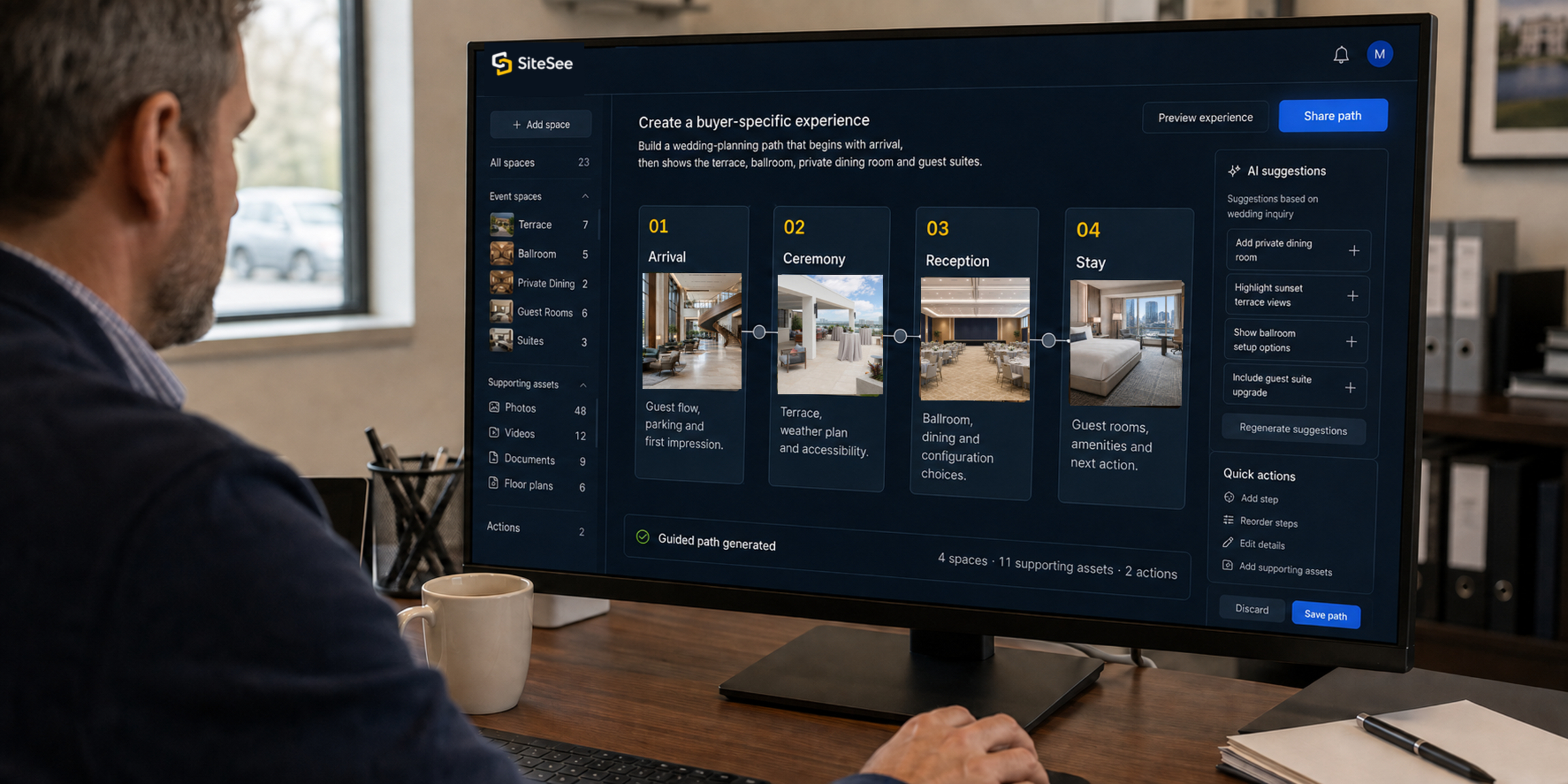
SiteSee buyer Specific Pathway Over Shoulder
Create a buyer-specific experienceBuild a wedding-planning path that begins with arrival, then shows the terrace, ballroom, private dining room and guest suites.
01ArrivalGuest flow, parking and first impression.
02CeremonyTerrace, weather plan and accessibility.
03ReceptionBallroom, dining and configuration choices.
04StayGuest rooms, amenities and next action.
Guided path generated4 spaces · 11 supporting assets · 2 actions
Personalize without rebuilding · AI-assisted design & guided pathways

Show each buyer the property story that matters to this decision.

A wedding buyer, meeting planner, exhibitor, leisure guest and engineer do not need the same route through the property. AI-assisted design, guided menus and flows help your team organize the most relevant spaces, content and next steps without rebuilding everything manually.

Audience-specific pathwaysAI-supported visual conceptsReusable sales flowsContextual calls to action
See how personalization works →
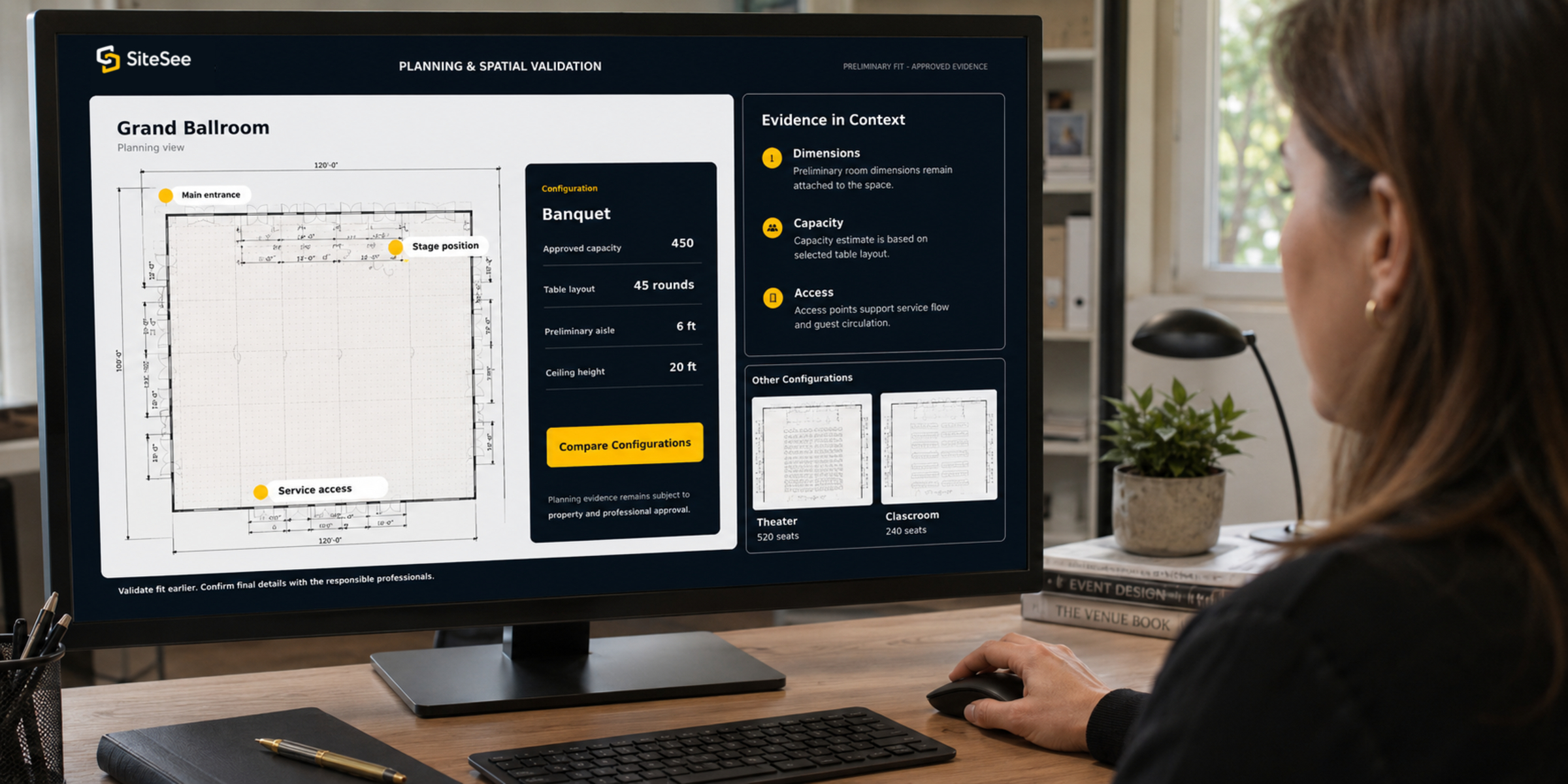
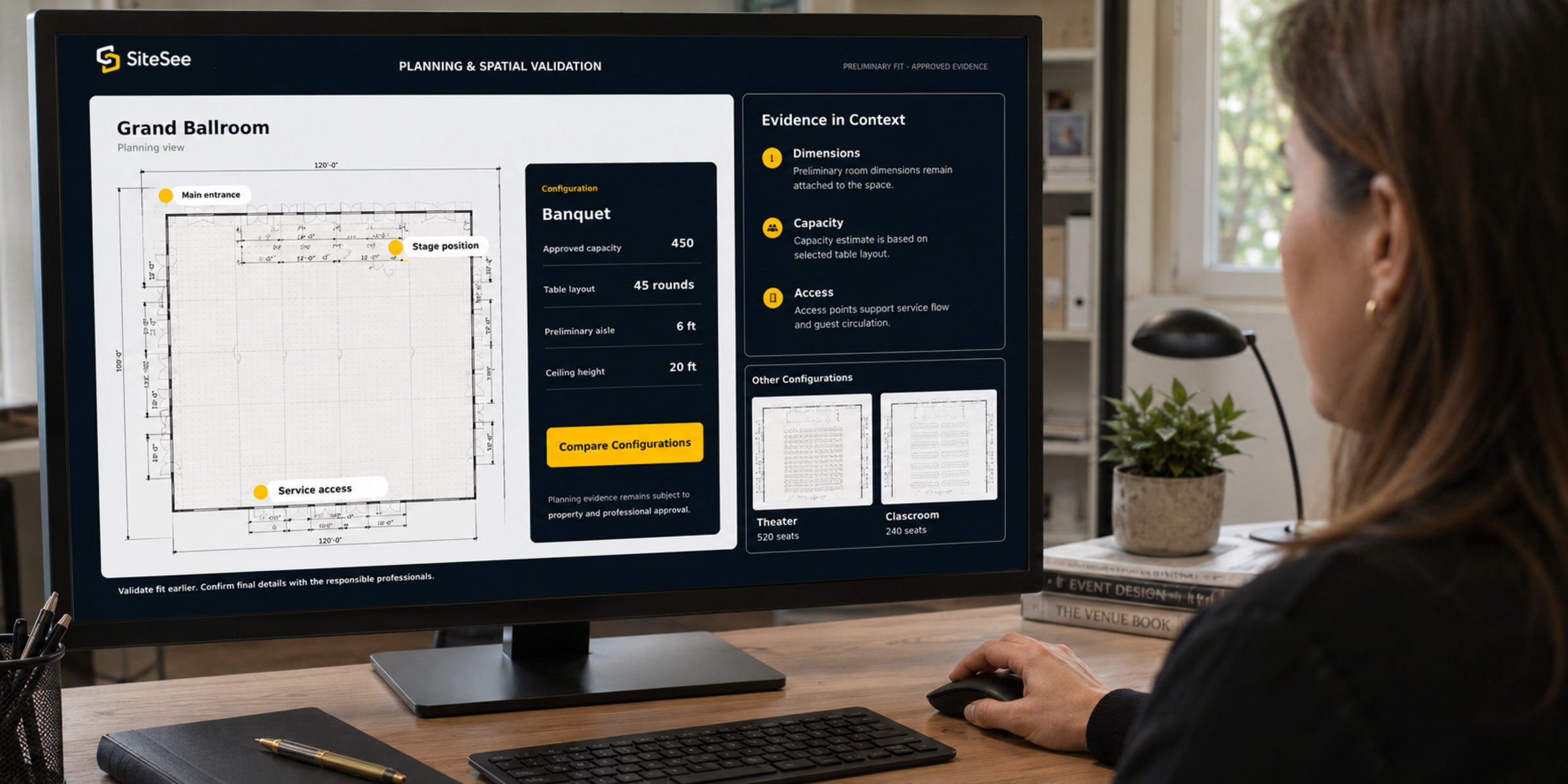
SiteSee planning Spatial Validation Over Shoulder
SiteSee floor plan and property details interface
Planning and space validationSee whether the space works.

Connect dimensions, capacities, floor plans, staging concepts and spatial notes to the room itself.

Plan with the property in view · Floor plans, measurements & configuration

Let planners test preliminary fit instead of piecing it together from separate files.

Photography can show appearance. SiteSee adds the spatial evidence needed for early planning: dimensions, room relationships, access points, maps, alternate configurations, virtual staging and location-specific notes.

Floor plans and measurementsVirtual staging and 3D objectsMaps, panoramas and spatial notesPreliminary fit and flow review
Explore planning capabilities →
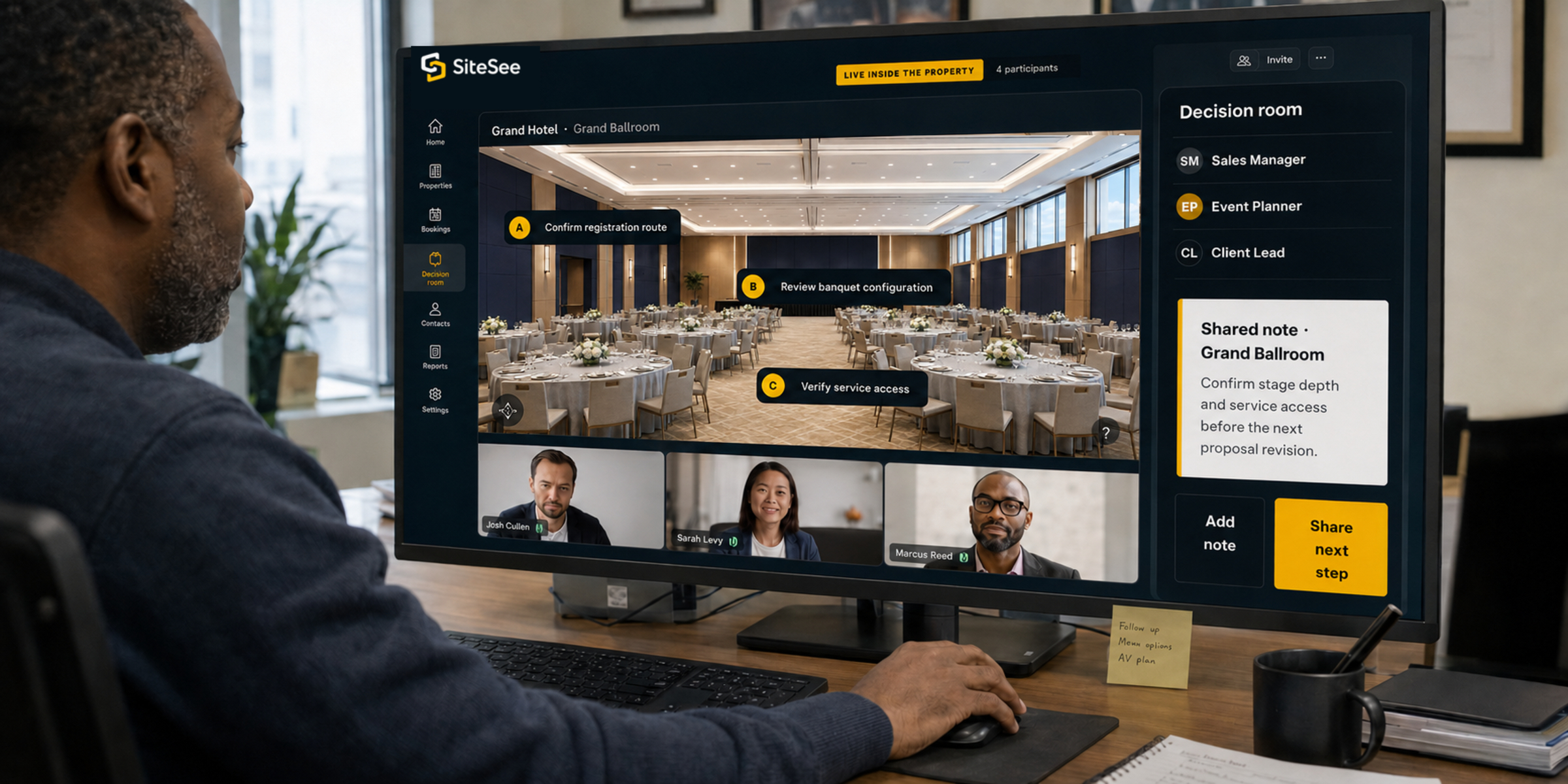
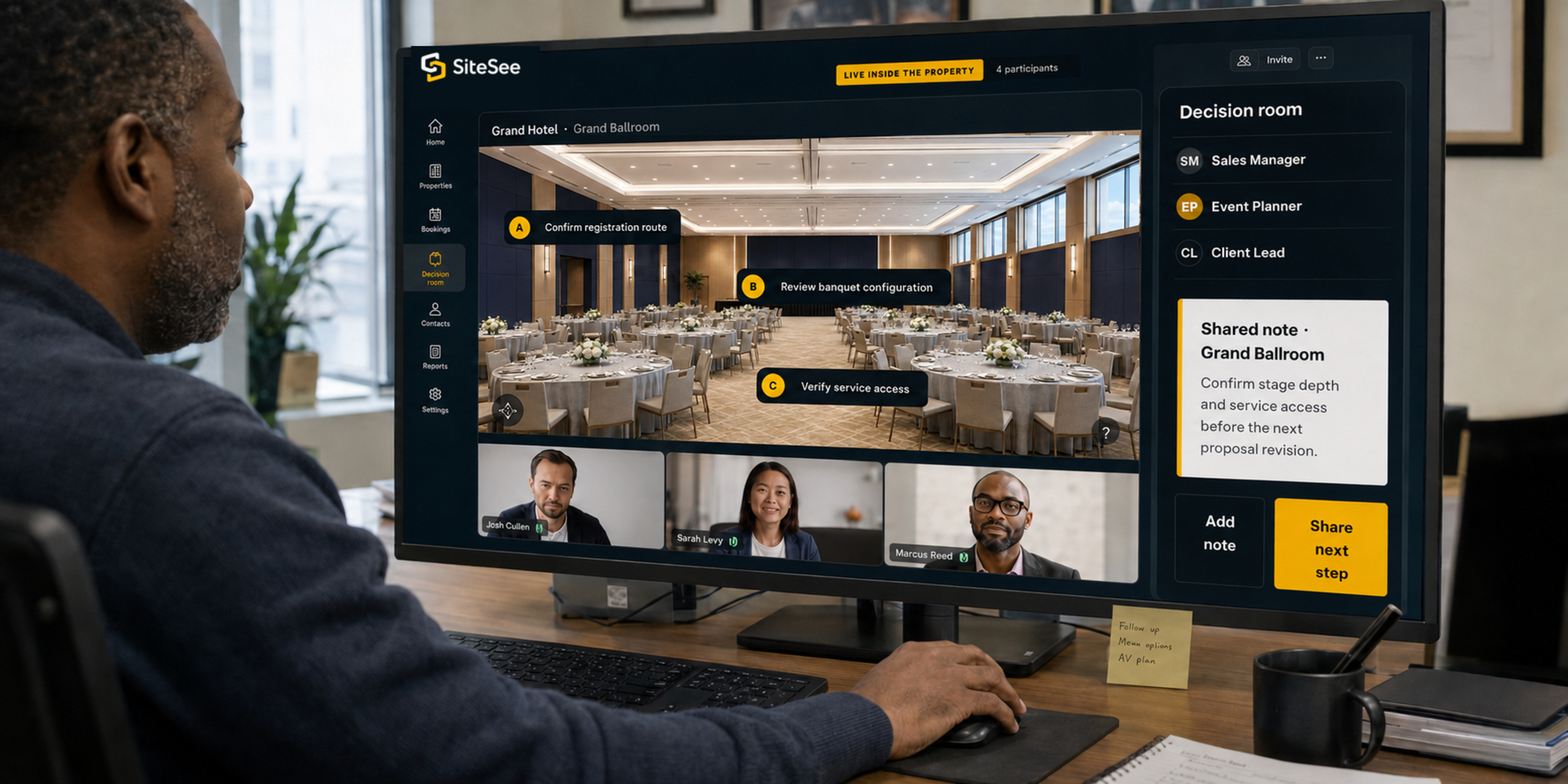
SiteSee live Collaboration Decision Room Over Shoulder
Shared property conversation inside SiteSee
Live inside the property
Decide together · Sharing, notes & live collaboration

Keep the property context intact as the decision moves from person to person.

Give planners, clients, salespeople and internal stakeholders one shared visual reference. Review exact locations, add notes, discuss alternatives and advance the opportunity without rebuilding context in another document or meeting.

Shareable buyer linksLocation-specific notesLive in-experience conversationsProtected planning environments
See collaboration in context →
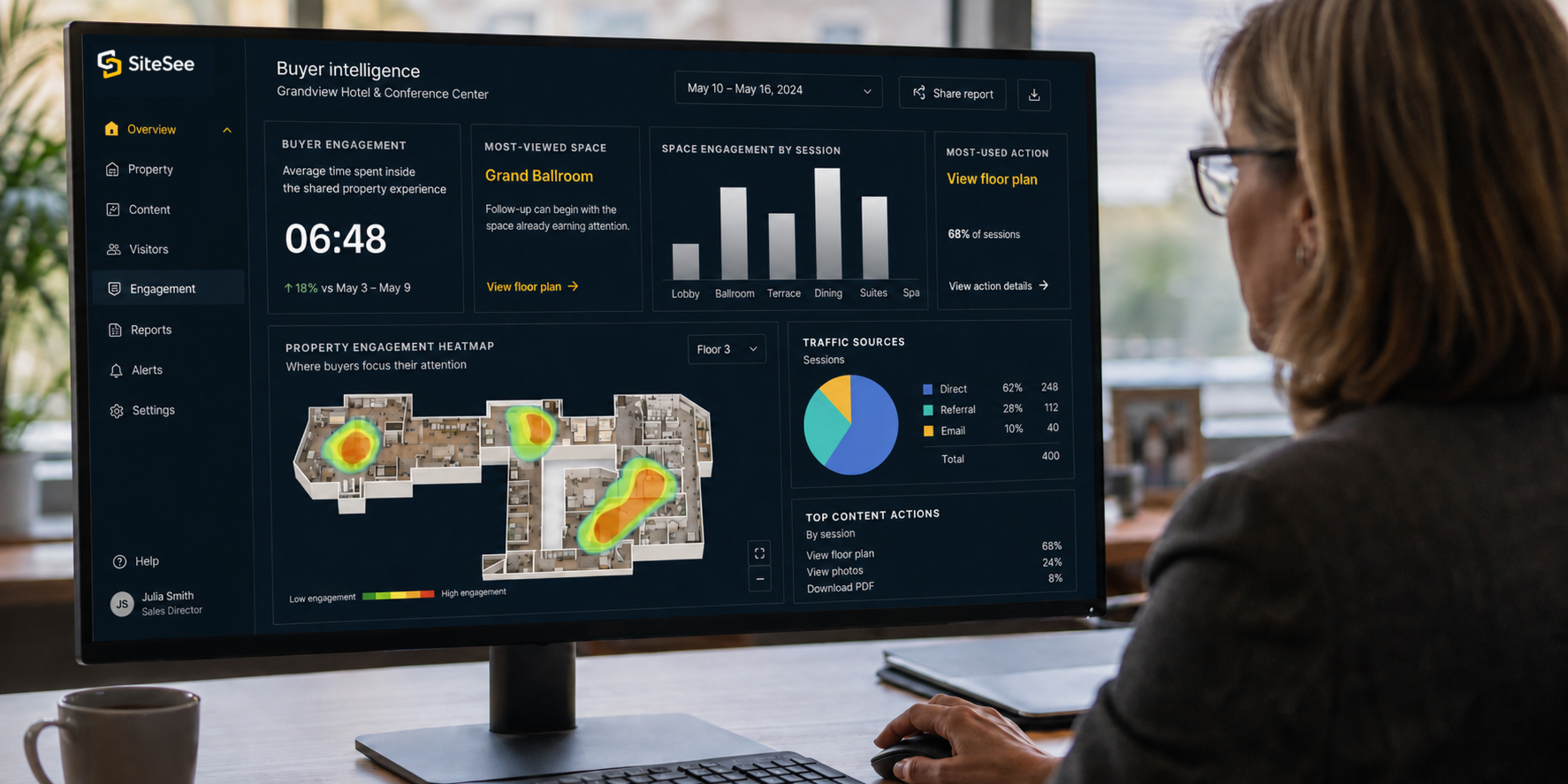
SiteSee buyer Engagement Analytics Over Shoulder
Buyer engagement06:48

Average time spent inside the shared property experience.

Most-viewed spaceGrand Ballroom

Follow-up can begin with the space already earning attention.

Space engagement by session
LobbyBallroomTerraceDiningSuitesSpa
Most-used actionView floor plan
Create measurable digital selling · Engagement analytics

Let the buyer’s activity make the next conversation more relevant.

SiteSee gives sales and marketing teams a clearer evidence trail than static collateral. See where buyers spent time, which content they opened, which actions they used and how engagement changes across experiences and audiences.

Views, interactions and heat mapsContent and call-to-action trackingTraffic sources and scheduled reportsGoogle Analytics connection
Explore engagement intelligence →
One connected operating system

Use SiteSee before the visit, during planning, inside the sale, onsite and across the portfolio.

The operating system extends beyond presentation by carrying the same approved property context into the practical work that follows.

01 · Before the visit

Help buyers qualify fit earlier.

Give buyers an always-available way to explore the property, compare spaces, review information and share it internally.

Experience · media · exact-location links · lead capture
02 · During planning

Bring spatial evidence into the conversation.

Connect dimensions, layouts, configurations, maps and location-specific notes to the spaces where they matter.

Floor plans · measurements · staging · notes
03 · Inside the sale

Guide attention toward what differentiates you.

Personalize the path, share one link and place the next action where buyer intent is strongest.

AI design · flows · collaboration · contextual conversion
04 · Onsite

Reduce wayfinding friction.

Support guests, attendees, exhibitors, vendors and staff with web, kiosk and augmented-reality navigation.

Indoor navigation · kiosk · AR
05 · Across operations

Put knowledge where work happens.

Place procedures, information and operational guidance into the precise physical context where teams need to use it.

Operational flows · overlays · IoT
06 · Across the portfolio

Create consistency without sameness.

Maintain brand standards, permissions, organized workspaces, reporting and repeatable practices while preserving each property’s identity.

Brand profiles · roles · dashboards · reporting
Who SiteSee serves

Built for the people and organizations that sell, plan and manage physical space.

Properties

Every place where the space influences the decision.

  • Hotels and resorts
  • Conference and event venues
  • Restaurants and private dining
  • Museums, civic and cultural properties
  • Specialized gathering places
Teams

Every team responsible for explaining or delivering the property.

  • Sales and group sales
  • Catering and events
  • Marketing and content
  • Operations and guest experience
  • Training and onsite support
Organizations

Every level that needs control, consistency and visibility.

  • Independent properties
  • Management companies
  • Ownership groups
  • Hospitality brands
  • Multi-property portfolios
The technology behind the experience

Better property decisions begin with better spatial information.

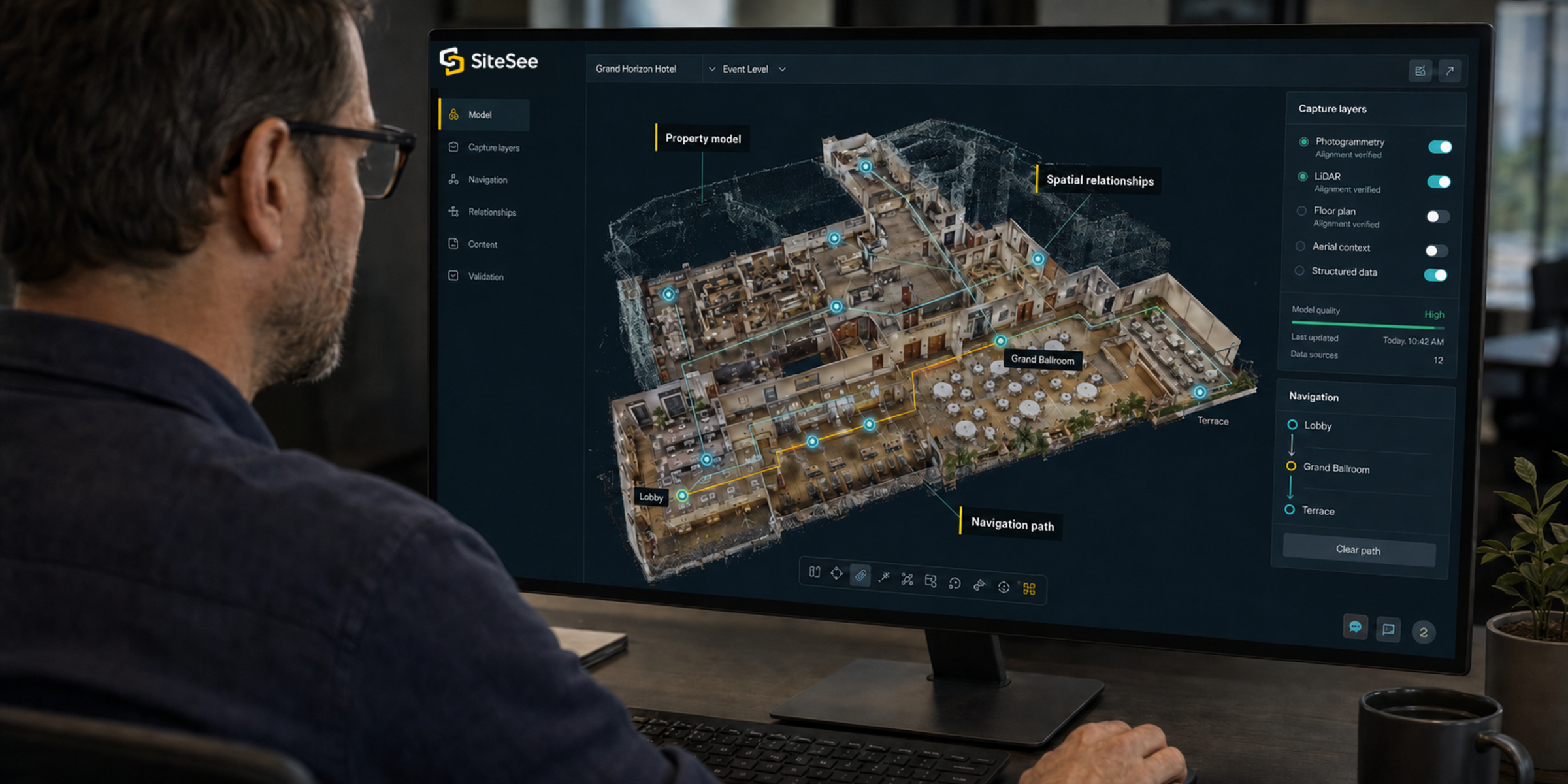
SiteSee combines immersive photogrammetry, proprietary LiDAR capture, aerial context, photography, video, CGI, animation and structured property information to create a more natural and commercially useful property experience. The technology is the foundation; the operating system is what turns that foundation into a repeatable customer and organizational workflow.

High-fidelity captureMore accurate architectural and visual detail.
Natural navigationSmoother movement through complex properties.
Commercial controlBranding, content and pathways built around the property.
SiteSee spatial Property Intelligence Over Shoulder
Property model
Spatial relationships
Navigation path
Resources

Practical guidance for modern property and flexible-space sales.

View all resources →
Buyer decision guide

What planners need to understand before a property visit.

A practical framework for replacing scattered information with earlier property clarity.

Read the guide →
Planning and spatial clarity

Where photographs and PDFs stop being enough.

How dimensions, relationships, configurations and contextual information improve early evaluation.

Explore the topic →
Platform updates

New ways to present, personalize and measure property experiences.

Product developments, applied examples and guidance for hospitality teams.

See updates →